9
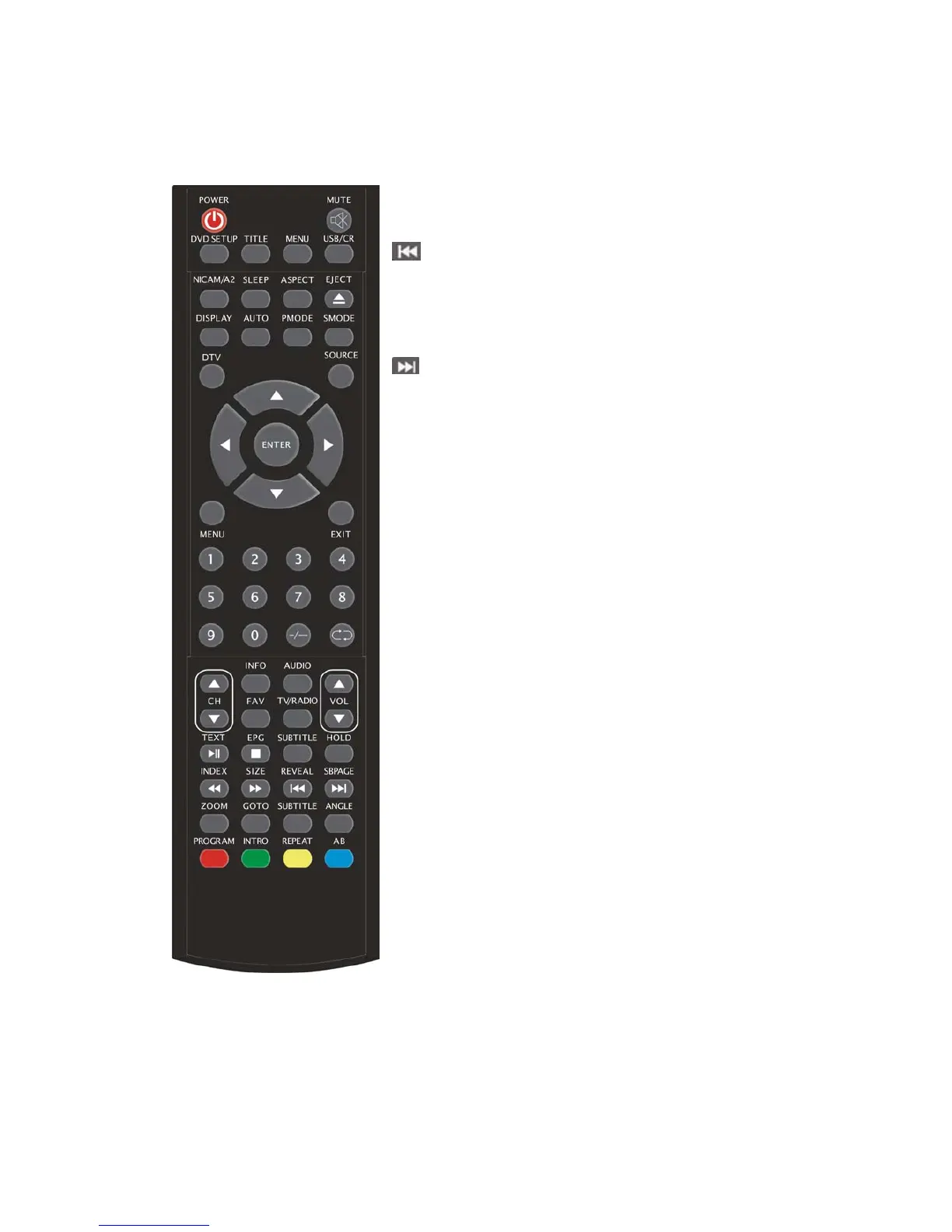
REVEAL: Press this button to reveal the hidden information
in Teletext page. Press again to hide the information.
(Used for European region only)
:Skip to previous chapter
(Used for models with DVD function only)
SUBPAGE: Carry out the function of SUBCODE in the text
while enter the text display mode.
(Used for European region only)
:Skip to next chapter
(Used for models with DVD function only)
ZOOM:Select the zoom picture.
(Used for models with DVD function only)
GOTO:Jump to the appointed chapter or title.
(Used for models with DVD function only)
SUBTITLE(BLUE):Select the disc caption.
(Used for models with DVD function only)
ANGLE:Select the angle.
(Used for models with DVD function only)
PROGRAM:Select the disc program.
(Used for models with DVD function only)
INTRO:Press the button to display the time of chapter
remain or elapsed.
(Used for models with DVD function only)
REPEAT:Select the repeat mode.
(Used for models with DVD function only)
AB:Select the segment to repeat.
(Used for models with DVD function only)
RED,GREEN,YELLOW, BLUE: Correpond to
the different colored subjects.
(
Used for european region function only)



 To Next Page