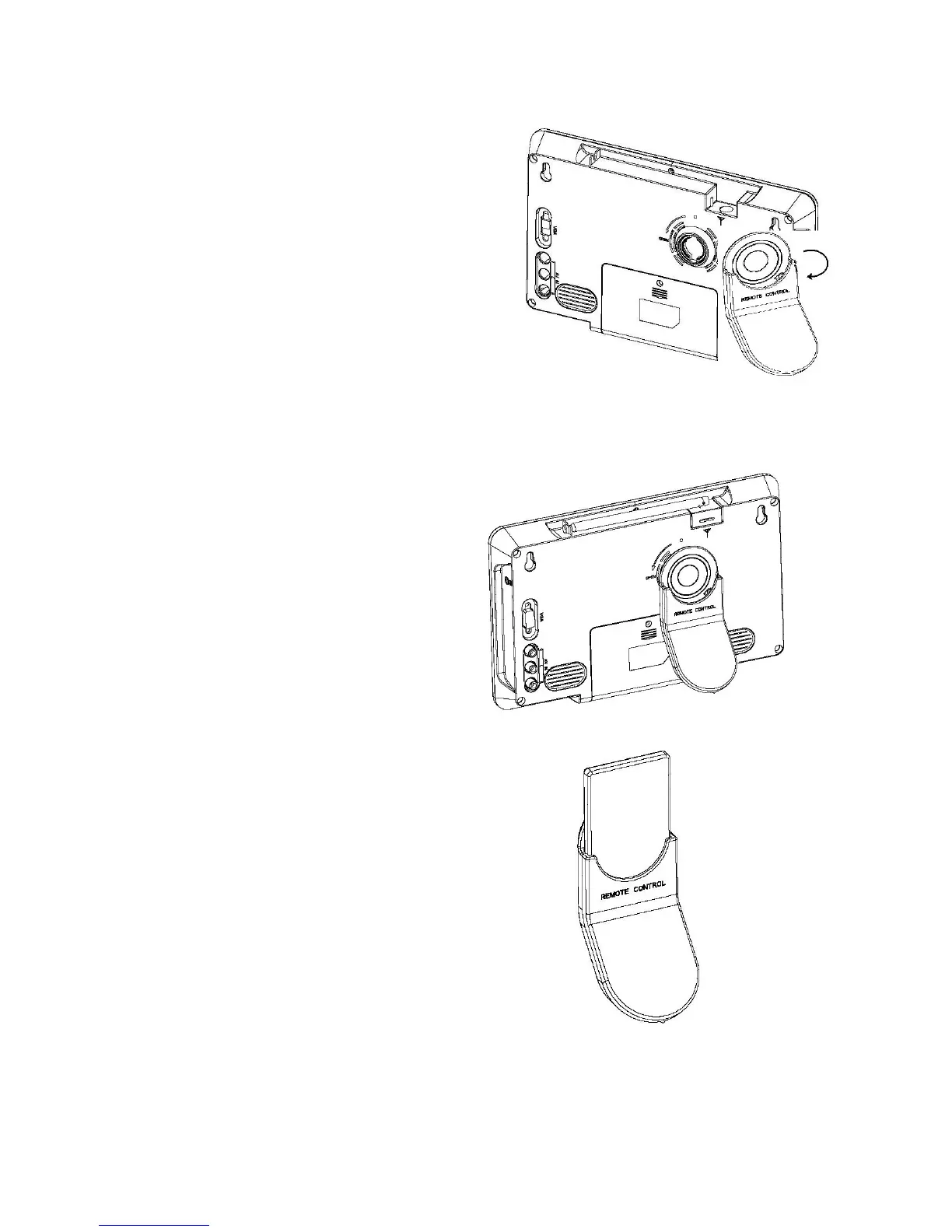
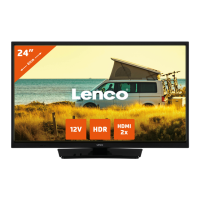
2. 6 Installing Stand
Insert the front end of the support to the slot on
the back cover, and then rotate the base as
illustrated in bottom, until the support is locked
properly.
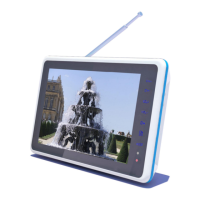
In order to storage remote control
more expedient, insert the remote
control to the slot on the back stand.


 To Next Page