3. REMOTE CONTROL
3.1 Definition
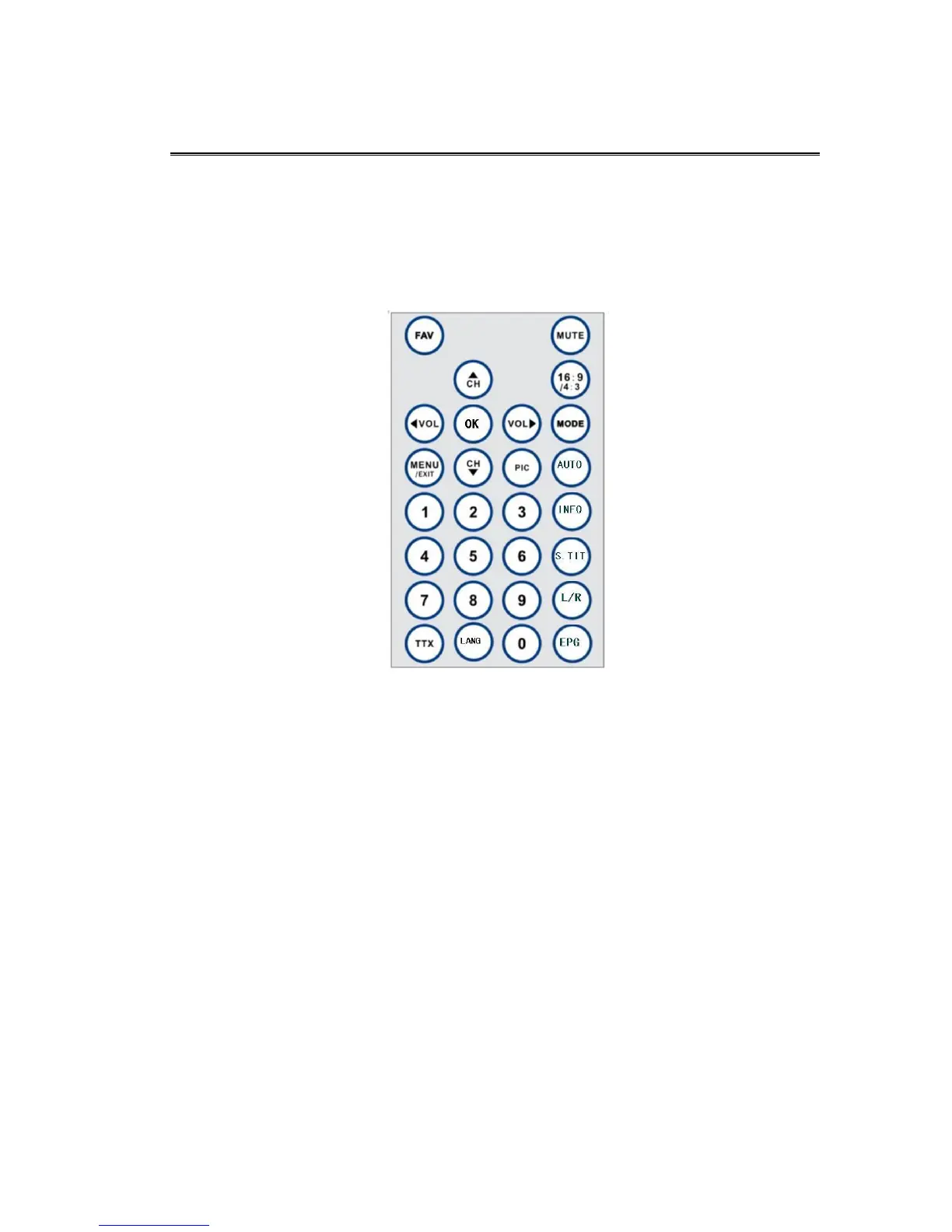
This section describes how to operate the TFT-1020 using the buttons on the remote control.
FAV To operate the favorite channels (DVB and ATV Function mode)
Mute Press once to turn the sound off/on (mute/ unmute).
16:9/4:3 Screen switch. (DTV ATV and AV Function mode)
Mode Press this button open the mode menu and press again to shift between Digital
TV Analogue TVAV ,VGA and Multimedia.
AUTO Start auto search (At Digital TV and Analogue TV mode)
Ok To confirm a selection.
Or to open the channel list Menu. (At Digital TV and Analogue TV mode)
Menu /Exit Press to open the menus and press again to go back to the topper menu.


 To Next Page