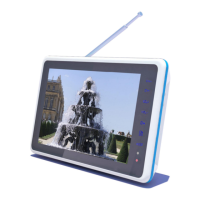
15. Front panel touch keys (include CH+, CH-, VOL+, VOL-, OK, , and MODE)
1.2 Front panel touch keys definition
CH+: Move up in the menus and change to the next channel in viewing mode.
CH-: Move down in the menus and change to the previous channel in viewing mode.
VOL+ Move left /change settings in menus. Decrease the volume level in viewing mode.
VOL-: Move right /change settings in menus. Increase the volume level in viewing mode.
OK: To confirm a selection
: Press to open the menus /exit to go back to the topper menus.
MODE: Open the mode main menu, press again to shift between DTV, ATV, AV, VGA,
Multimedia.
! If you touch the front panel keys and the key show blue light color for a wait.


 To Next Page