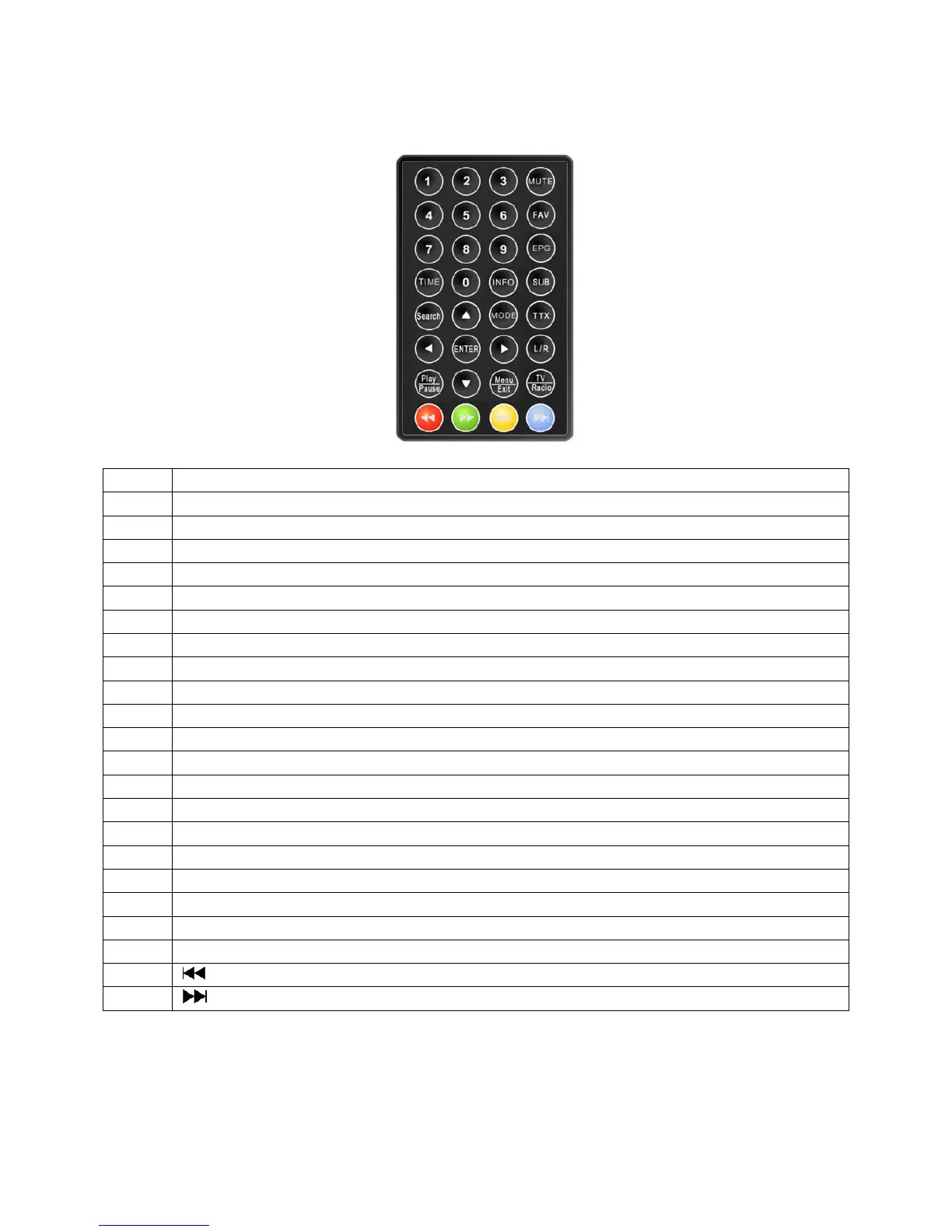
2.7. Remote
NUM Description
1 0~9: To change the channel and to select individual menu options.
2 Mute: Press once to turn the sound off/on (mute control).
3 FAV: To operate the favorite channels.
4 EPG: Press this button to display Electronic Program Guide.
5
TIME
: To switch time on or off.
6 INFO: Press to display the information of the current programs.
7 SUB: Subtitle.
8 Search: Start auto search TV and Radio Channel.
9 MODE: Press this button to switch display mode:4:3LB, 4:3PS,16:9
10 TTX: Press to enter Teletext (if available).
11 ▲: Move up in the menus and change to the previous channel in viewing mode.
12 ▼: Move down in the menus and change to the next channel in viewing mode.
13 ENTER: To confirm a selection. Or to open the channel list Menu.
14 ►: Move right/change settings in menus. Increase the volume level in viewing mode.
15 ◄: Move left/change settings in menus. Decrease the volume level in viewing mode.
16 L/R: Press to change the sound of channel.
17 Menu/Exit: Press to open the menus and press again to exit.
18 TV/Radio: TV/Radio switch.
19 ◄◄: fast rewind the video playing.
20 ►►: fast forward the video playing.
21
: Go to play previous file.
22
: Go to play next file.
! Attention: The remote control range is 4M or less within a±45°horizontal and ±5°vertical angle from the
remote sensor. If the remote’s battery is low, the remote may not function properly, so replacing the battery
immediately is recommended.
5



 To Next Page