Page 11
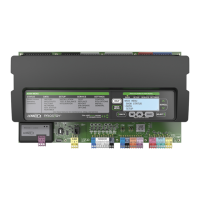
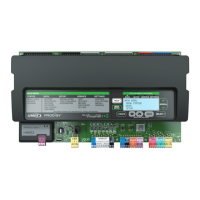
Menu Interface SETTINGS−
From the DISPLAY mode, press and then use to
scroll to SETTINGS. Next, press
to enter the SET-
TINGS menu. Use until desired item is displayed.
SETTINGS
UNIT
SETPOINTS
CONTROL
OPTIONS
INSTALL
Use arrows to move
Use SETTINGS to make changes to the
Unit Controller after initial installation.
Many of the setting changes are the same
as install. Changes are limited by the
unit’s build information. If you install new
options, you can make changes to equip-
ment settings beyond the factory values.
Load shed to include power percentage
and hard wire.
SETTINGS > UNIT
In the SETTINGS menu, use until UNIT is displayed.
Press to enter the UNIT menu.
View and change the current settings in the 2 unit control-
ler.
Use arrows
to move
UNIT NO.
DATE/TIME
TIME 15:45:00 DISPLAY TIME
DATE 01.01.00 DISPLAY DATE
SET CLK MTH: 09
DAY: 21
YR: 2009
HR: 10
MIN: 08
09:45:01
UNITS F/C
UNIT
(returns
TIME"
display)
EXAMPLE
OF TIME
AND DATE
CHANGE
SETTINGS > SETPOINTS
COOLING
HEATING
(See Page 12 for DAMPER)
REHEAT
EXHAUST
IAQ
In the SETTINGS menu, use
until SETPOINTS is dis-
played. Press
to enter the SETPOINTS menu.
View and change the current system setpoints setup in the
M2 unit controller as shown in the following diagrams for
COOLING, HEATING, REHEAT, EXHAUST and IAQ.
Use arrows to move
COOLING
OCP COOL BU STPT XX.XºF
UNOCP COOL BU STPT XX.XºF
FREE COOL TEMP STPT XX.XºF
COMP TIME OFF DELAY
COOLING OPTION
HEATING
OCP HEAT BU STPT XX.XºF
UNOCP HEAT BU STPT XX.XºF
DAMPER (SEE PAGE 12)
REHEAT
REHEAT STPT 68ºF
REHEAT DEADBAND 3%
EXHAUST
SMOKE POS 50%
EXHAUST FAN STPT 50%
IAQ
DAMPER START OPEN STPT 700PPM
DAMPER FULL OPEN STPT 1200PPM
SETPOINTS
REHEAT WILL NOT BE VISIBLE UNLESS
IT WAS INSTALLED AT THE FACTORY.


 To Next Page
 Loading...