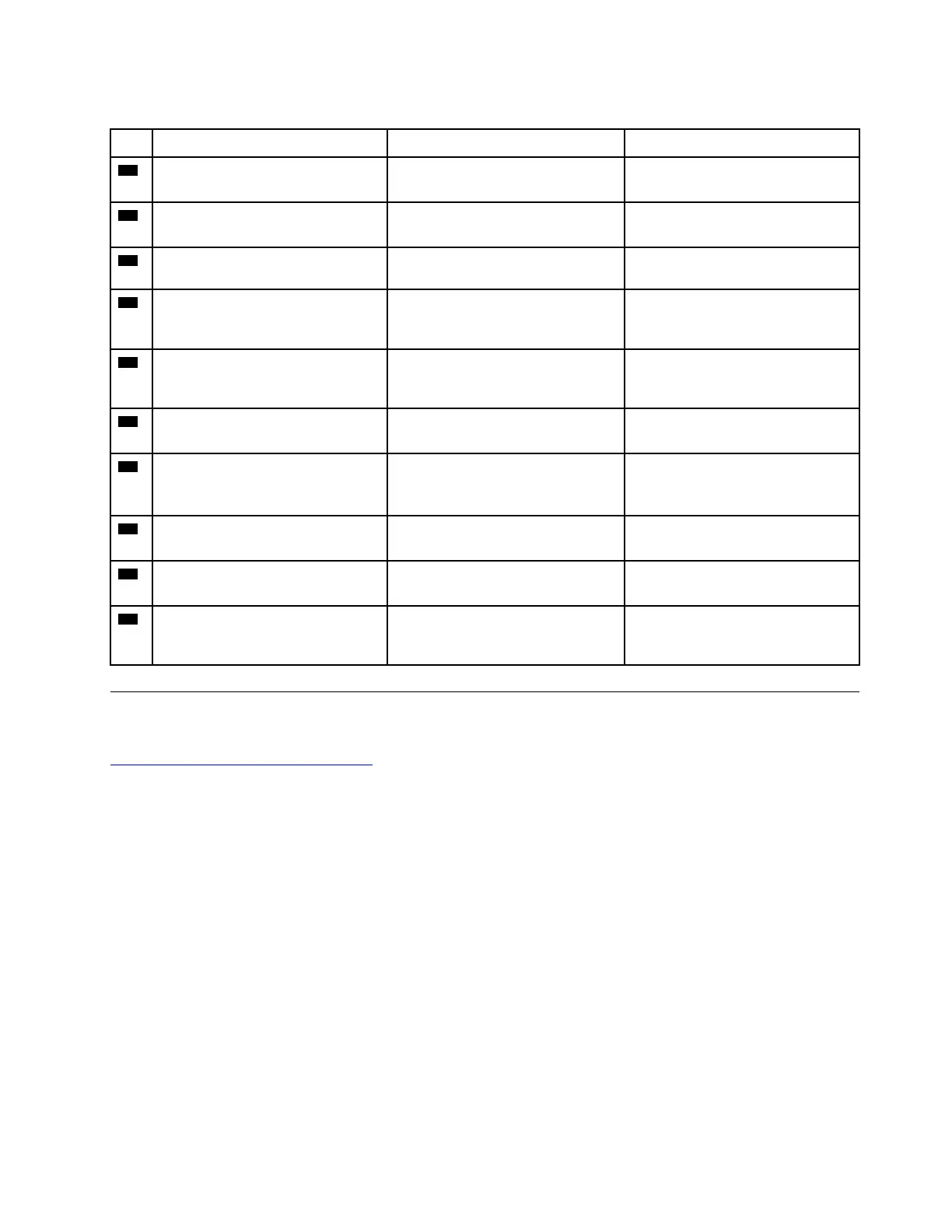
Table 9. System board connector and cable guide (continued)
No.
Connector/feature
Internal cable required
Cable connection
21
M.2 2280 solid-state drive slot
under the keyboard (internal)
No Insert a 2280 solid-state drive into
this slot.
22
Memory module slots under the
keyboard (internal)
No Insert the memory modules into
these slots.
23
Wireless-WAN-card slot (internal)
No Insert a wireless-WAN card into
this slot.
24
LCD connector (internal) LCD cable Connect one end to the LCD panel
and the other end to this
connector.
25
Beeper connector (internal)
Beeper cable The beeper comes with the cable.
Connect the cable to this
connector.
26
Nano-SIM-card slot (external)
No
Insert a Nano Subscriber Identity
Module (SIM) card into this slot.
27
Audio connector (external) No Connect headphones or a headset
with a 3.5-mm (0.14-inch) and 4-
pole plug to this connector.
28
USB-C (3.2 Gen 2) connector
(external)
No Connect a USB-C compatible
device to this connector.
29
Always on USB 3.2 connector Gen
1 (external)
Always on USB 3.2 connector Gen
1 cable
Connect a USB-A compatible
device to this connector.
30
Speaker connector (internal) Speaker cable The speaker comes with cable.
Connect the cable to this
connector.
Looking up FRU information
For detailed FRU information, including part numbers, descriptions, and substitution part numbers, go to:
https://support.lenovo.com/partslookup
Chapter 7. Locations 57



 To Next Page