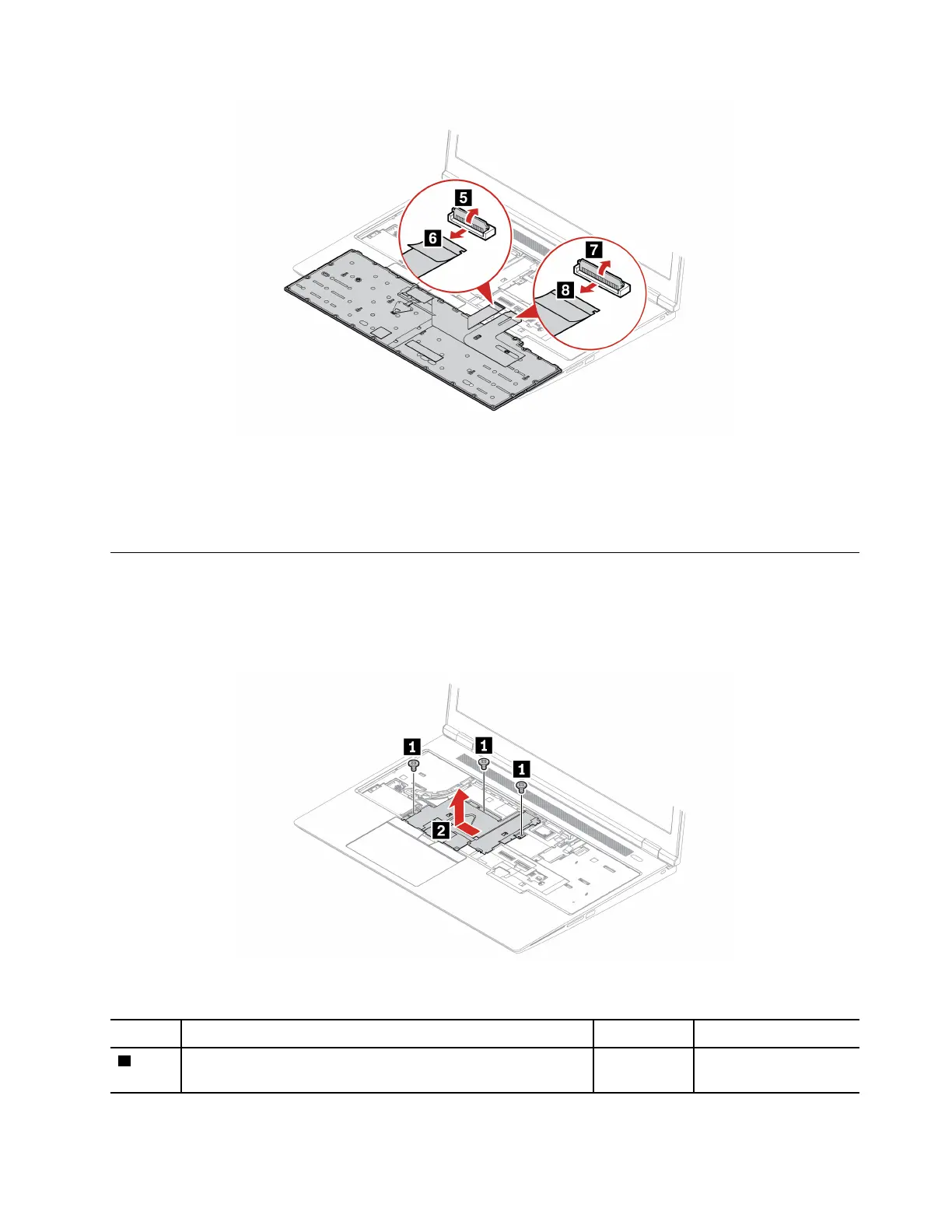
When installing: Configure the keyboard language in UEFI BIOS:
1. Enter the UEFI BIOS menu.
2. Click Config ➙ Keyboard/Mouse ➙ Keyboard Layout, and then select the keyboard language.
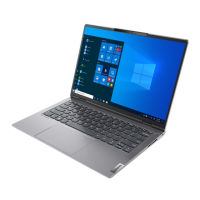
1030 Service bracket
For access, remove this FRU:
• “1020 Keyboard” on page 65
Removal steps of the service bracket
Note: Do not peel off the release paper on the thermal pad when installing the service bracket.
Step Screw (quantity) Color
Torque
1
M2 × 2.5 mm, flat head, nylon-coated (3)
Black 0.181 Nm
(1.85 kgf-cm)
Chapter 9. Removing or replacing a FRU 67



 To Next Page