Note: After you finish the servicing, ensure that you install the SD card back into the slot firmly.
1010 Service door
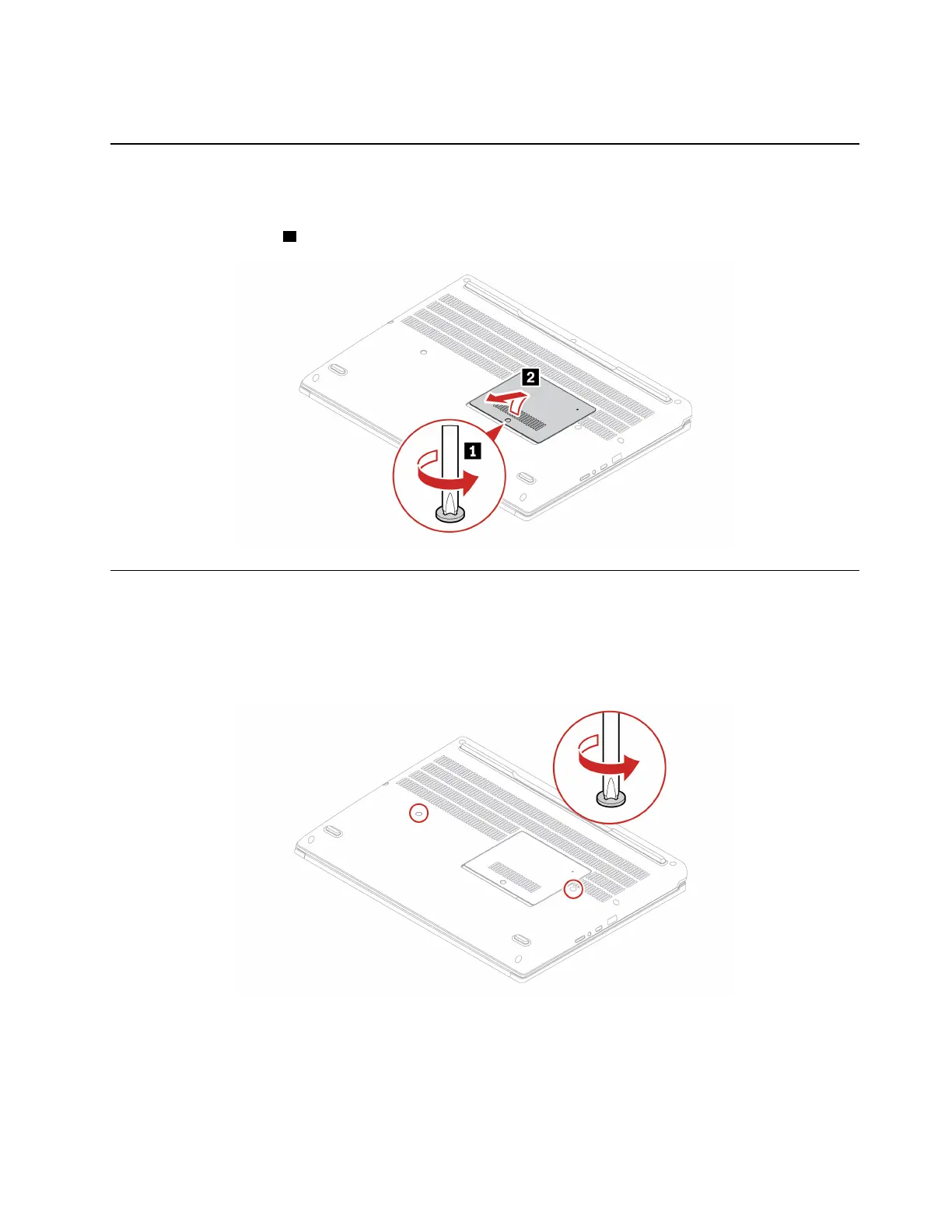
Removal steps of the service door
Note: Loosen the screw
1 that secures the service door, and remove the service door.
1020 Keyboard
Note: You might be instructed to slide the keyboard frame forward or backward in some of the following
steps. In this case, ensure that you do not press or hold the keys while sliding the keyboard frame.
Otherwise, the keyboard frame cannot be moved.
Removal steps of the keyboard
Chapter 9. Removing or replacing a FRU 65



 To Next Page