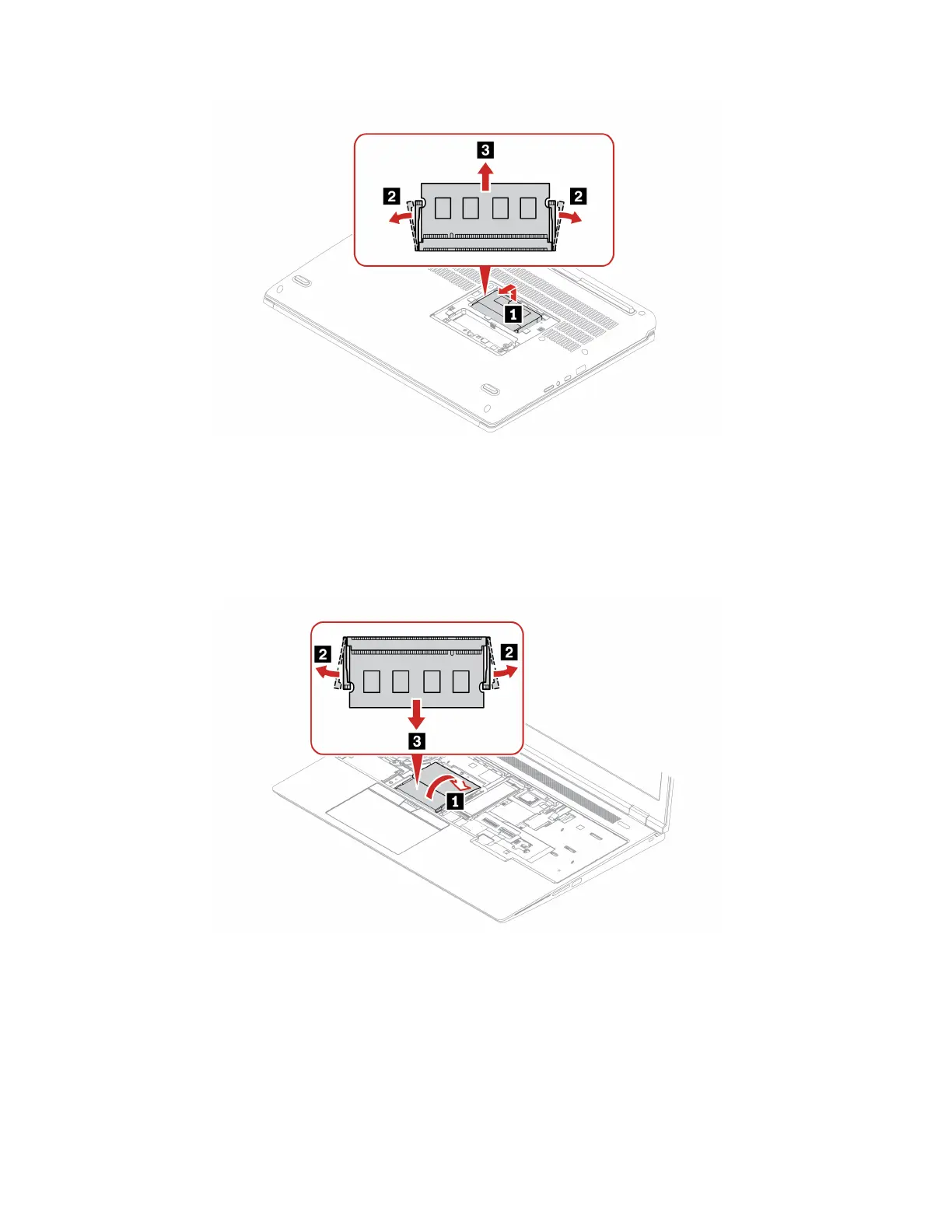
Memory module under the keyboard
For access, remove these FRUs in order:
• “1020 Keyboard” on page 65
• “1030 Service bracket” on page 67
Removal steps memory module under the keyboard
When installing:
• Insert the notched end of the memory module into the memory slot. Press the memory module in firmly,
and pivot it downward until it snaps into place. Ensure that the memory module is firmly installed in the
slot and does not move easily.
• Memory module replacement might cause memory retraining during POST. When memory retraining
occurs, the screen might be blank. You might see the LED indicators on Esc, F1, and F4 blinking
sequentially to indicate the progress. Do not press the power button to interrupt the process. Wait a few
minutes until the logo screen is displayed.
70
ThinkPad P16 Gen 2 Hardware Maintenance Manual



 To Next Page