Connecting your computer
Note: Your computer may not have all of the connectors described in this
section.
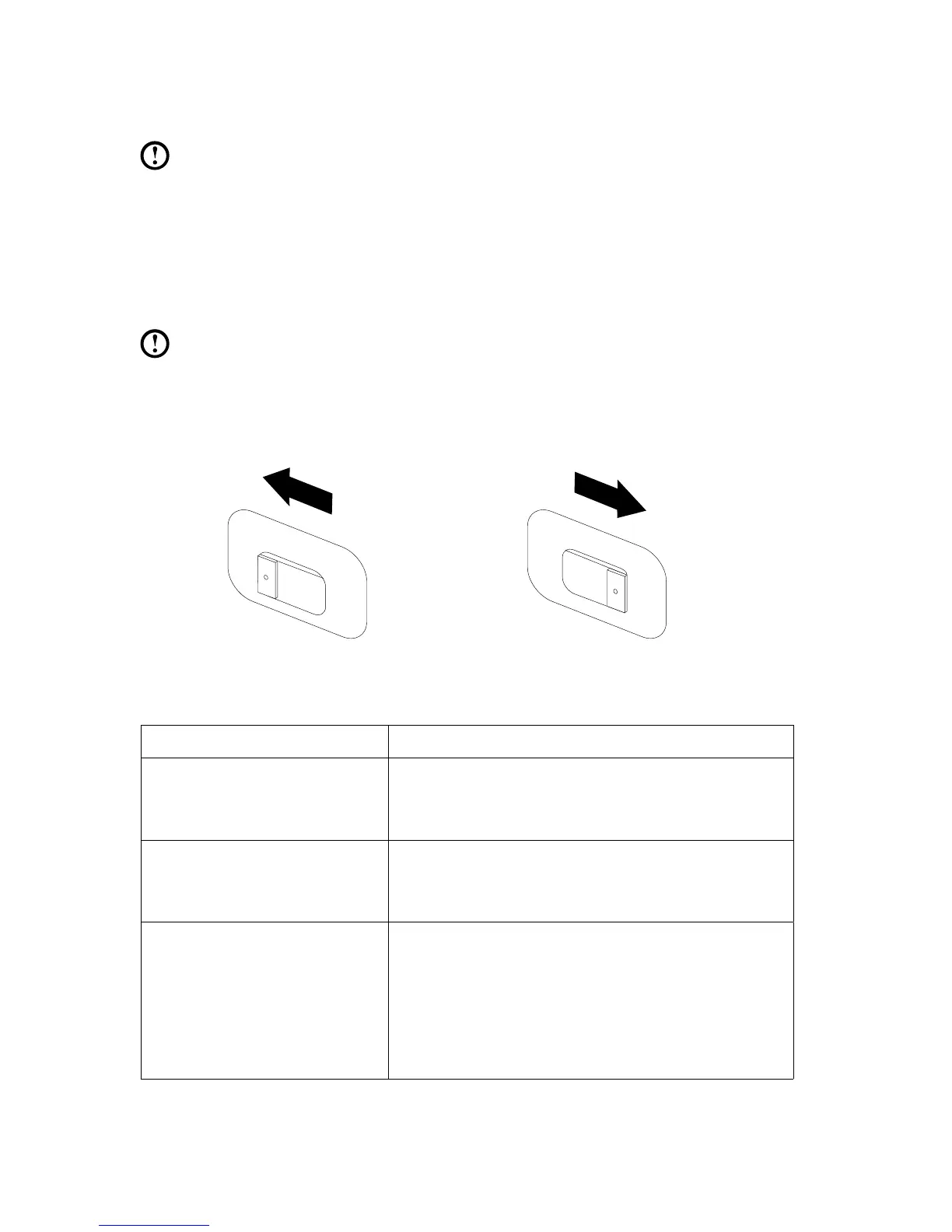
Check the position of the voltage-selection switch on
the rear of the computer. Use a ballpoint pen to slide
the switch if necessary.
Note: Some computers do not have a voltage switch. These computers
control voltage automatically.
• Ifthevoltagesupplyrangeis100-127VAC,settheswitchto115V.
• Ifthevoltagesupplyrangeis200-240VAC,settheswitchto230V.
Basic connector instructions
Connector Description
Microphone Use this connector to attach a microphone to your
computer when you want to record sound or if you
use speech-recognition software.
Headphone Use this connector to attach headphones to your
computer when you want to listen to music or
other sounds without disturbing anyone.
Audio line-in connector Used to receive audio signals from an external
audio device, such as a stereo system. When
you attach an external audio device, a cable is
connected between the audio line-out connector
of the device and the audio line-in connector of
the computer.









 To Next Page