Replacing a hard disk drive
Note: For this procedure, it helps to lay the computer on a flat, stable
surface.
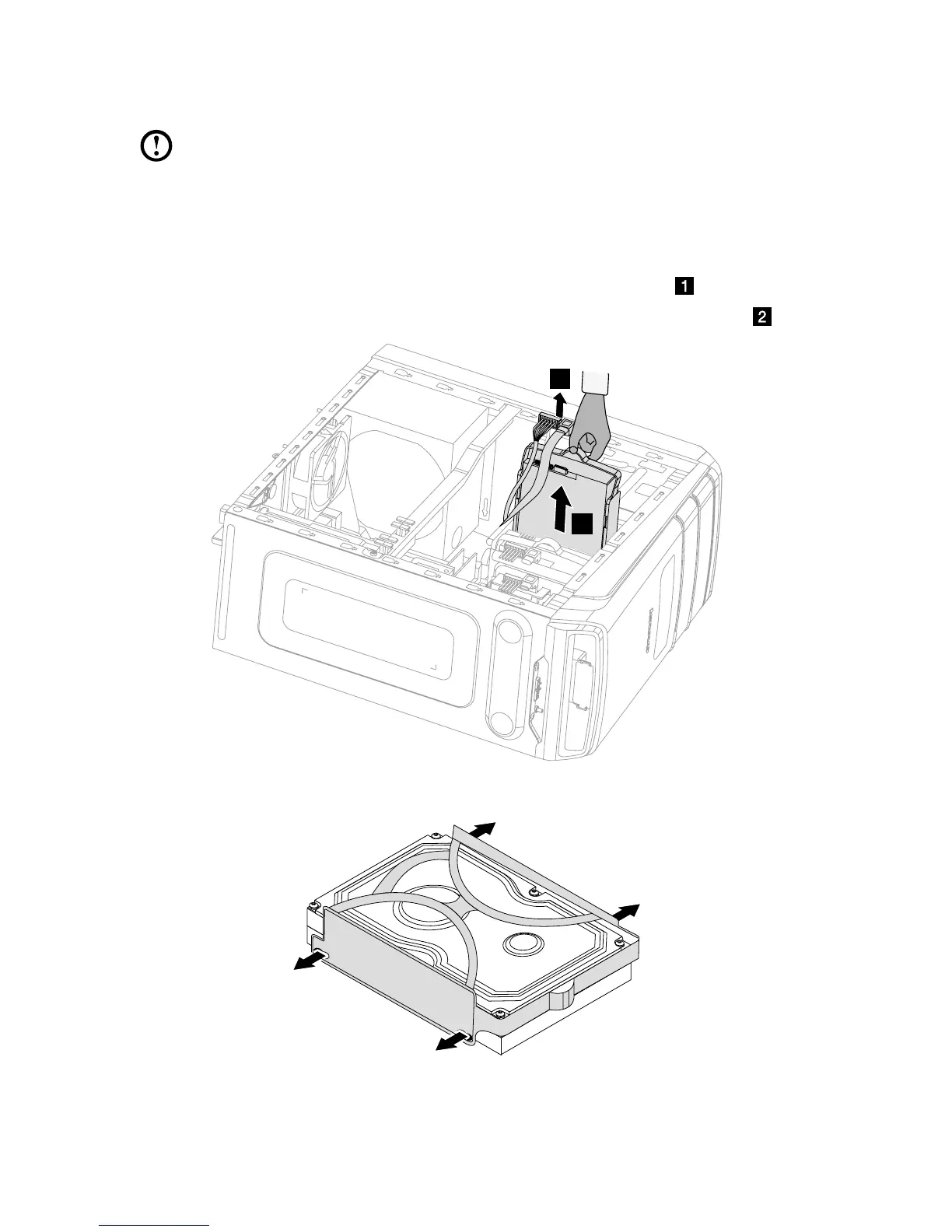
To replace a hard disk drive:
1. Remove the computer cover. Refer to “Removing the computer cover”.
2. Disconnect the data and power cables from the hard disk drive.
3. Lift up the plastic handle and slide the hard disk drive out of the drive bay.
4. Remove the hard disk drive from the plastic bracket as shown.
5. Line up the new hard disk drive with the plastic bracket and snap it into position.









 To Next Page