• Afterremovingtheharddisk,becarefulnottodamageit.
• IntheRescueSystemprogram,thehot-swappableharddiskcannot
be recognised.
Power Control Switch (selected models only)
The Power Control Switch feature allows your computer to switch to different
modes, thus providing you with customized experiences during operations.
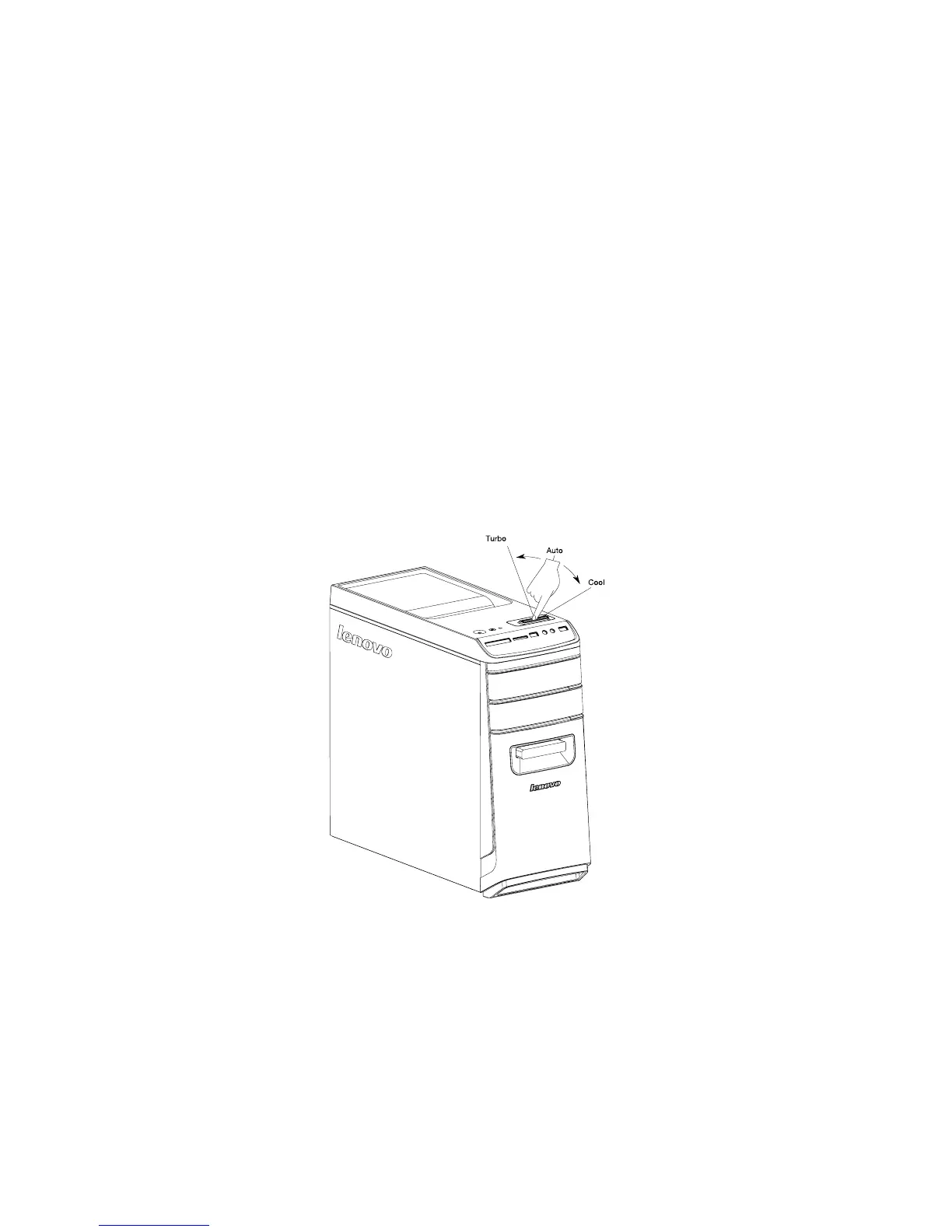
Operation of the Power Control Switch
The Power Control Switch function supports three operating modes: Auto, Turbo
and Cool. You can optimize system resources by toggling between those three
different modes. Different modes are used for different applications. In Auto and
Cool mode, computer will boot up quickly; in Turbo mode, computer will boot up
very quickly.
• Switchtoadifferentmodebytogglingthepowercontrolswitch.









 To Next Page