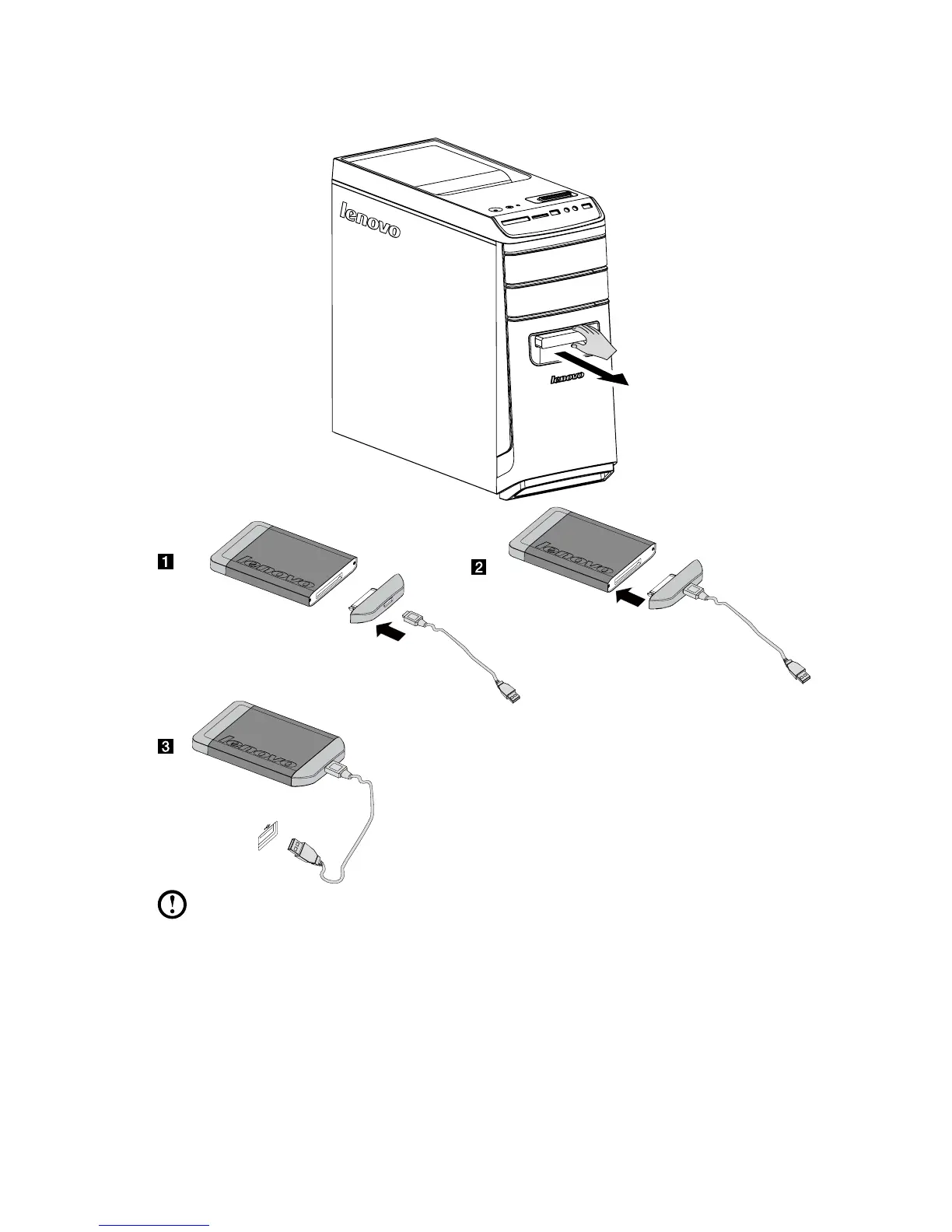
Method 2: Pull the hot-swappable hard disk drive out of the drive bay, then
connect the hot-swappable hard disk drive to the other computer.
Notes:
• Donotunplugtheharddiskwhileitiscopyingdata,asthismayresult
in loss of data.
• Afterconnectingtheharddiskandallthecables,waitamomentto
allow the system to recognise the hard disk.
• Donotinstalltheoperatingsystemonthehot-swappableharddisk.
• Donotunplugtheharddiskwhileitisrunningaprogram,asthismay
result in the system crashing.









 To Next Page