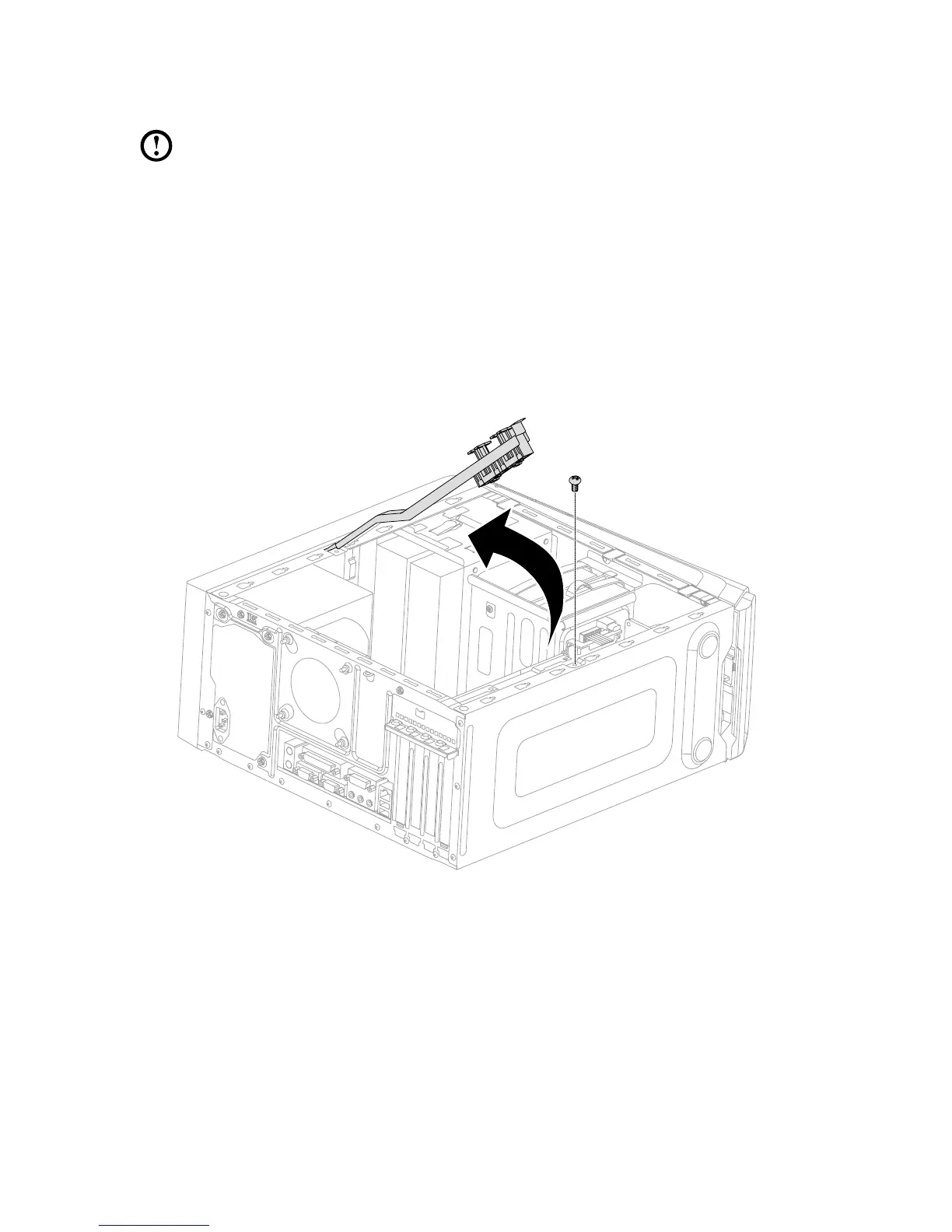
Replacing a graphics card
Note: For this procedure, it helps to lay the computer on a flat, stable
surface.
To replace a graphics card:
1. Remove the computer cover. Refer to “Removing the computer cover”.
2. Follow the below steps to remove a graphics card:
If your computer has a Duo-graphics cards installed, follow the steps
below to replace it:
a. Remove the screw that secures the Duo-graphics cards fixing bracket and
lift the bracket up.









 To Next Page