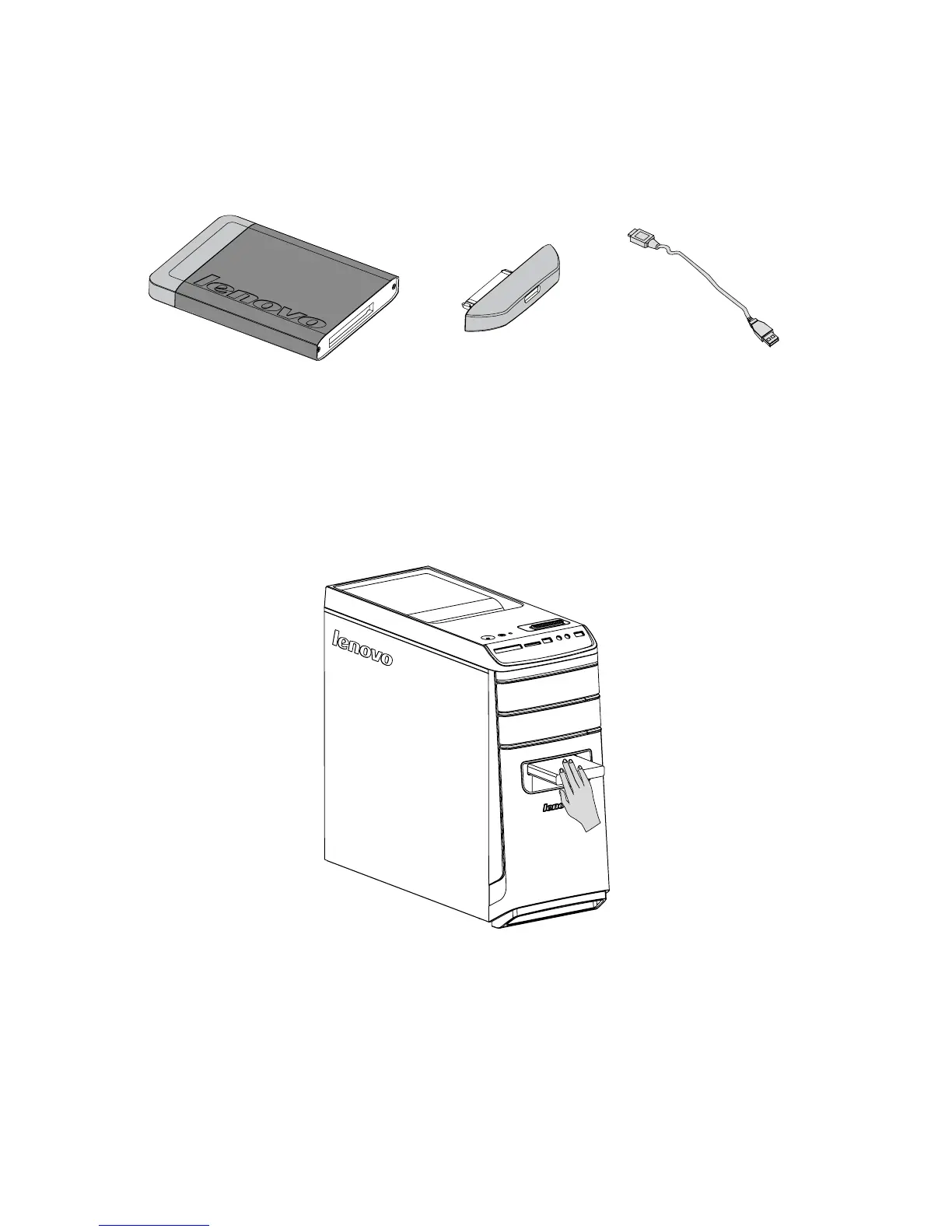
Hot-swappable hard disk (selected models
only)
• Components
Hot-swappable hard disk USB adapter USB cable
You can plug in the hot-swappable hard disk while the computer system using it is
working, without damaging the hard disk data. You can back up the data on this
hot-swappable hard disk at any time for data maintenance or data transmission.
• Usingthehot-swappableharddisk
Method 1: Slide it into the bay from the front until it clicks into position.









 To Next Page