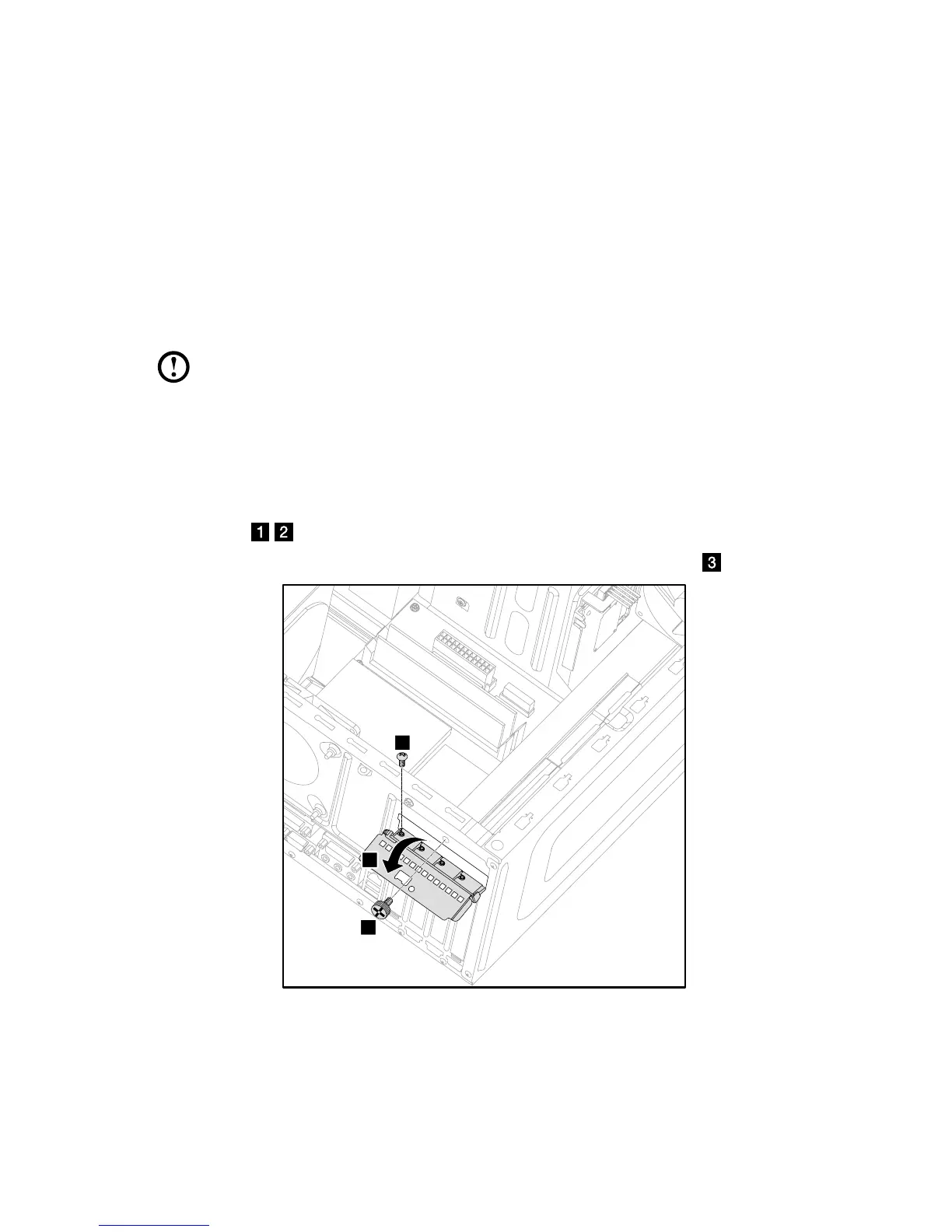
3. Install the new adapter into the same adapter connector and secure it to
chassis with the screw.
4. Turn the graphics card latch to the closed position and secure it with the screw.
5. Connect the two graphics cards with the Duo-graphics cards connector and
reattach the Duo-graphics cards fixing bracket to the chassis. (For models with
Duo-graphics cards only)
6. Reattach the computer cover.
Replacing the TV-Tuner card
Note: For this procedure, it helps to lay the computer on a flat, stable
surface.
To replace the TV-Tuner card:
1. Remove the computer cover. Refer to “Removing the computer cover”.
2. Remove the screw that secures the graphics card latch to the chassis and
open it.
3. Remove the screw that secures the TV-tuner card to the chassis.









 To Next Page