Chapter 1. Getting to know your computer
14
ideapad 310-15ISK/ideapad 310 Touch-15ISK
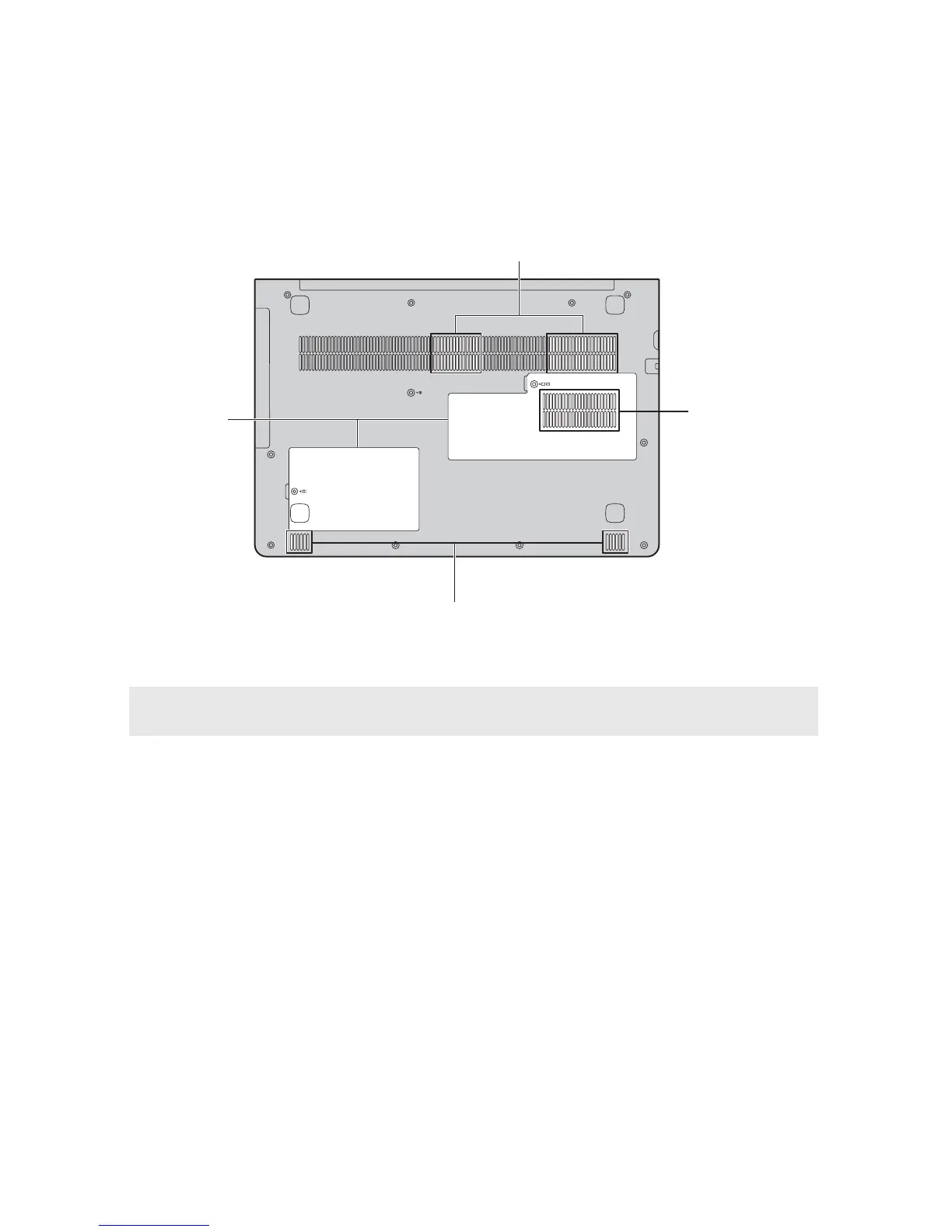
a Ventilation slots
Dissipate internal heat.
Note: Make sure that none of the ventilation slots are blocked, or else overheating of the
computer may occur.
b Bottom slot cover
The hard disk drive, memory module, and mini-PCI
Express Card are placed underneath.
c Speakers
Provide audio output.
b
a
a
c









 To Next Page