40
Appendix A. CRU instructions
Replacing the Mini PCI Express Card - - - - - - - - - - - - - - - - - - - - - - - - - - - - - - - - -
To replace the Mini PCI Express Card, do the following:
1
Turn off the computer. Disconnect the AC power adapter and all cables
from the computer.
2
Close the computer display and turn the computer over.
3
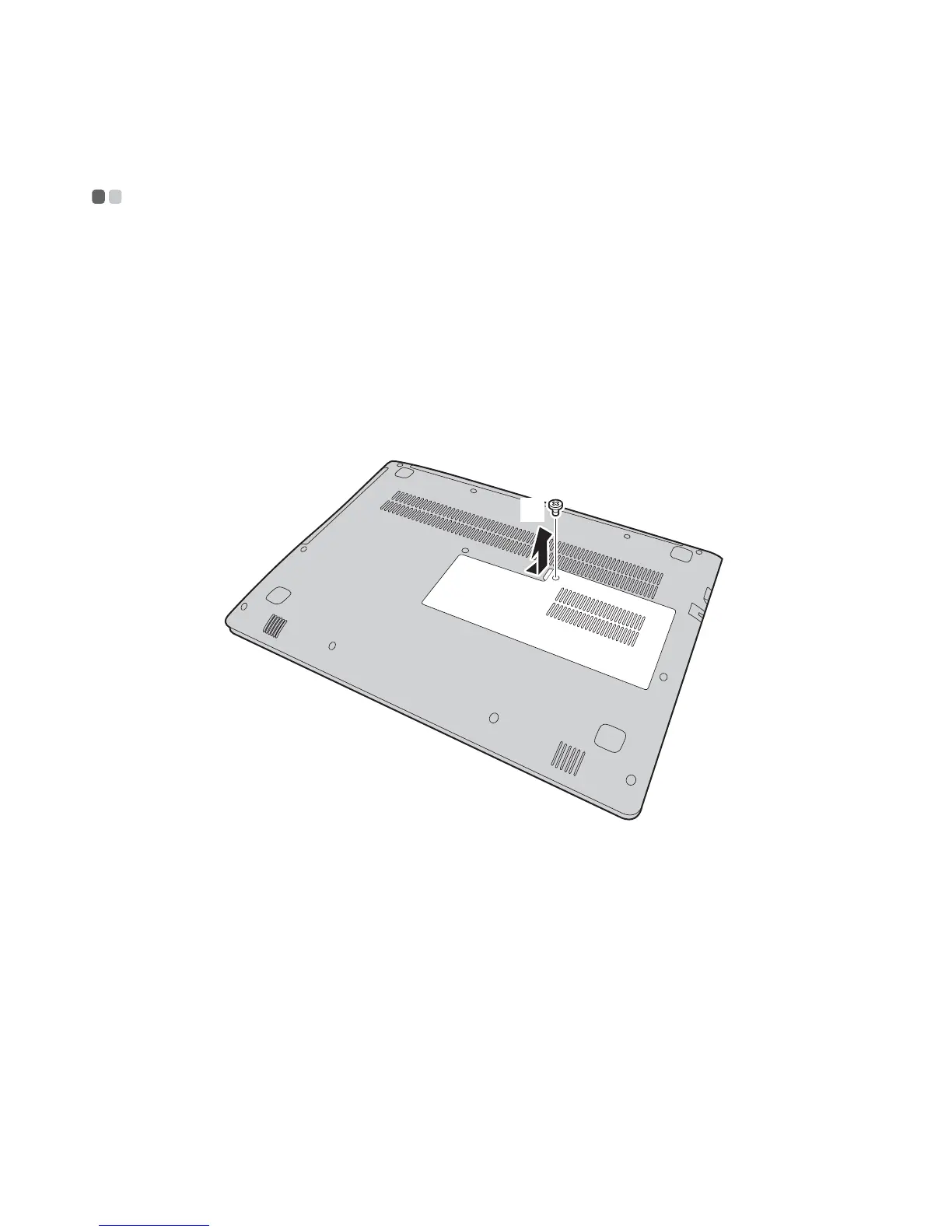
Remove the memory/Mini PCI Express Card slot compartment cover.
a.Loosen the screw that secure the compartment cover .
b.Remove the compartment cover .
4
If a tool for removing connectors is included in the package with the new
card, use it to disconnect the cables from the card. If no such tool is
included, disconnect the cables by holding up the connectors with your
f
ingers and gently unplugging them. Then remove the screws and the
card pops up.
a
b
a
b
c









 To Next Page