36
Appendix A. CRU instructions
4
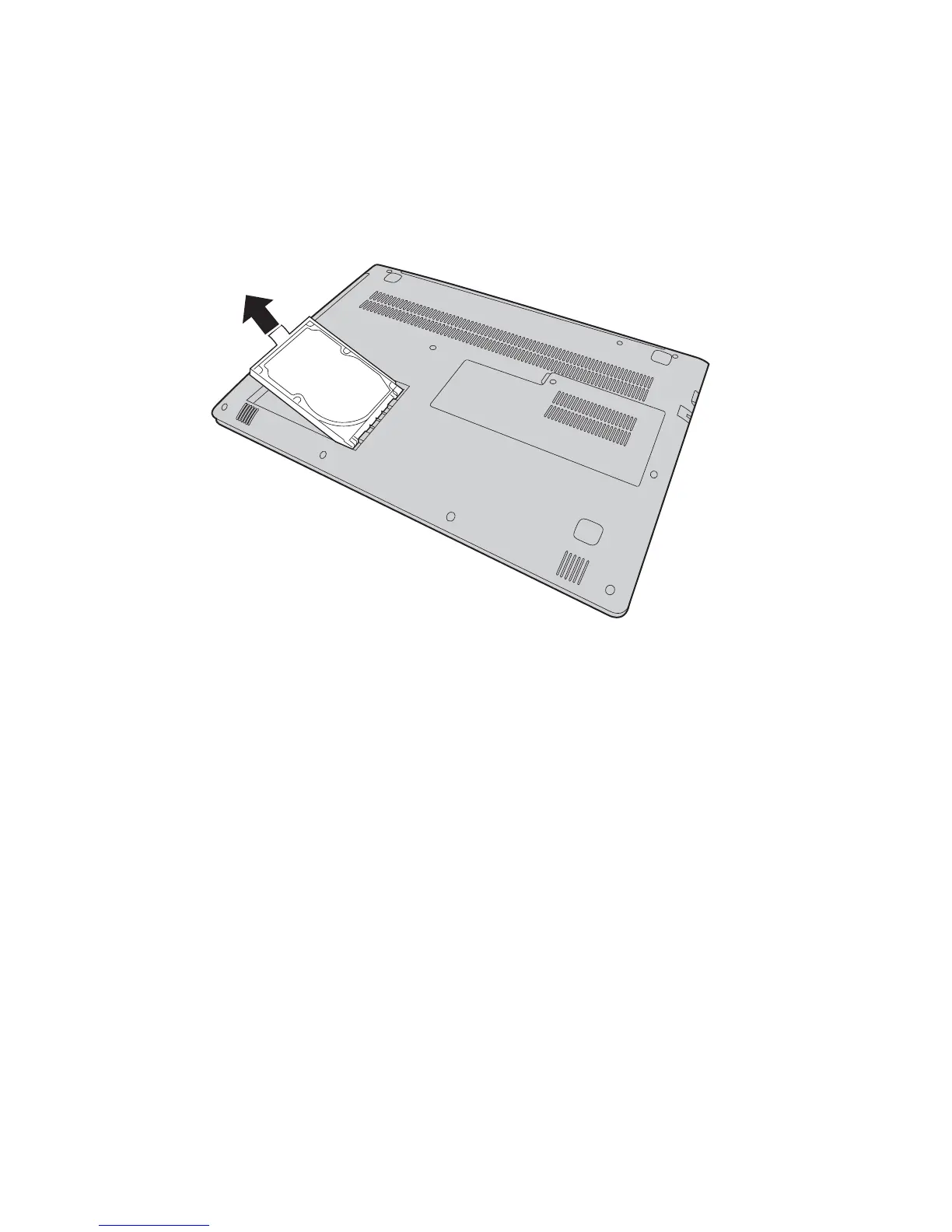
Remove the hard disk drive by gently pulling it in the direction of the
arrow
.
5
Detach the frame from the hard disk drive.
6
Attach the frame to a new hard disk drive.
7
Slide the new hard disk drive firmly into place.
8
Reinstall the hard disk drive(HDD) slot compartment cover and tighten
the screw.
9
Turn the computer over again.
0
Connect the AC power adapter and the cables to the computer.
c
c









 To Next Page