38
Appendix A. CRU instructions
5
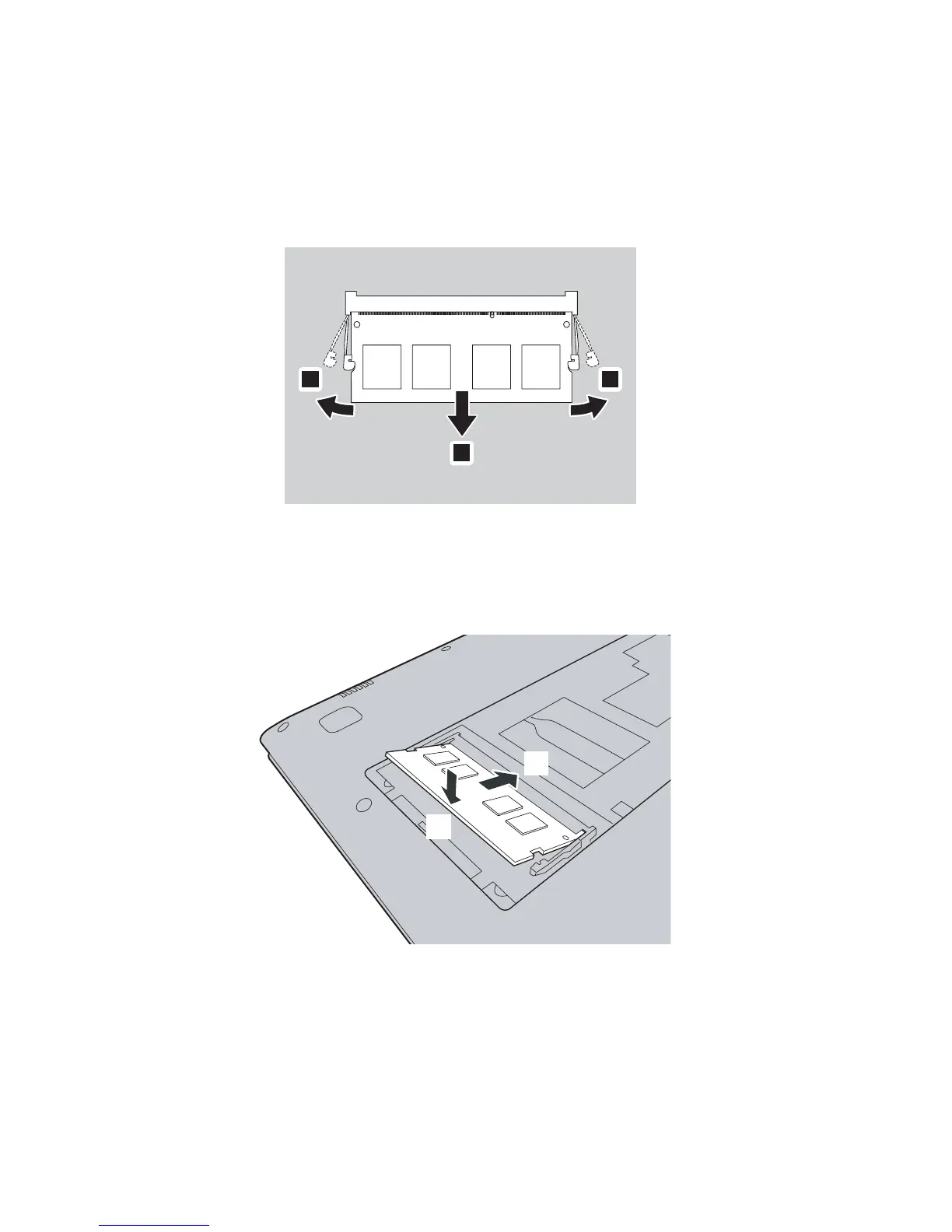
Remove DDR4 module by pulling out on the latches on both edges of the
socket at the same time. Be sure to save the old DDR4 for future use.
6
Align the notch of the DDR4 module with the protrusion of the socket
and gently insert the new module at a 30-45° angle.
7
Push the DDR4 module down until the latches on both sides of the socket
lock into its position.
8
After aligning the attachment clips with their matching gaps, reinstall the
memory/Mini PCI Express Card slot compartment cover.
9
Tighten the screw.
0
Turn the computer over again.
A
Connect the AC power adapter and the cables to the computer.
1 1
2
a
b










 To Next Page