Chapter 1. Getting to know your computer
4
Using the keyboard
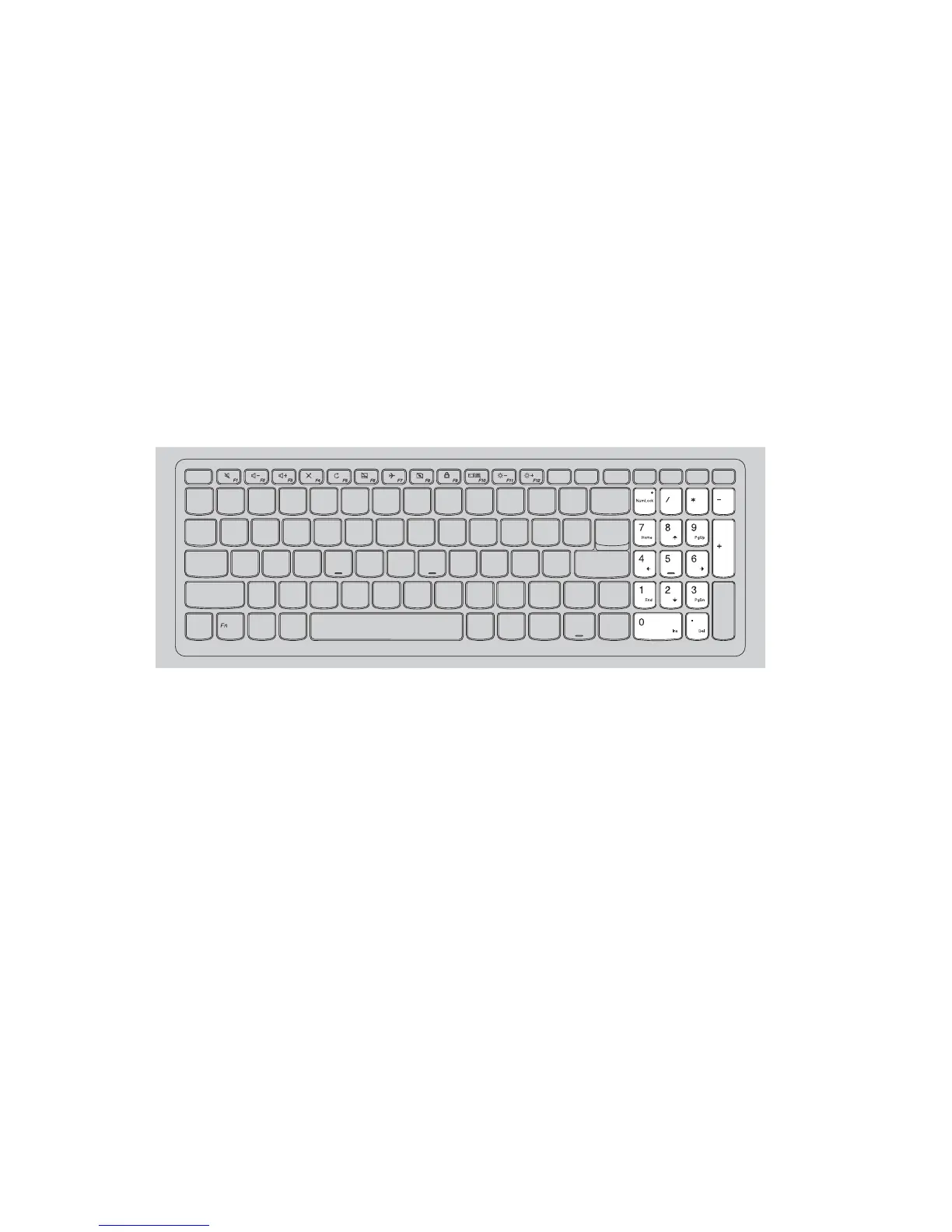
Your computer has number keys and function keys and may also have a
numeric keypad (ideapad 310-15ISK/ideapad 310 Touch-15ISKonly)
incorporated into its standard keyboard.
Numeric keypad
ideapad 310-15ISK/ideapad 310 Touch-15ISK
The keyboard has a separate numeric keypad. To enable or disable the
numeric keypad, press the Num Lock key.









 To Next Page