Lenovo IdeaPad U310/U410
35
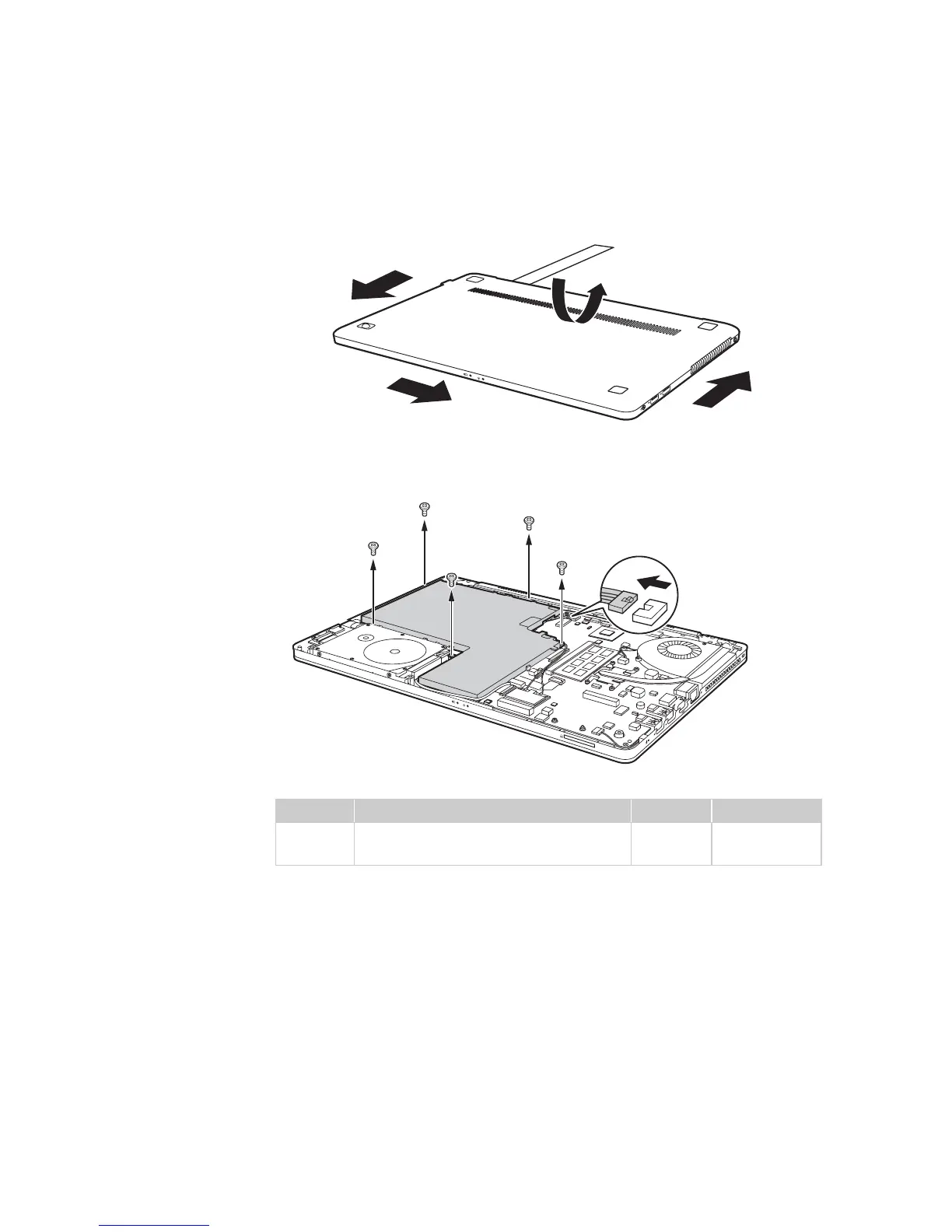
Figure 1. Removal steps of battery pack (continued)
Open the back cover along the device frame with a flat blade in the direction
shown by arrows and then lift the back cover in the direction shown by arrow
.
U310: Unplug the battery connector in the direction shown by arrow first,
then remove five screws .
Step Screw (quantity) Color Torque
M2.5 × 3.5 mm, flat-head, nylok-coated
(5)
Silver 2.0 kgfcm









 To Next Page