Lenovo IdeaPad U310/U410 Hardware Maintenance Manual
36
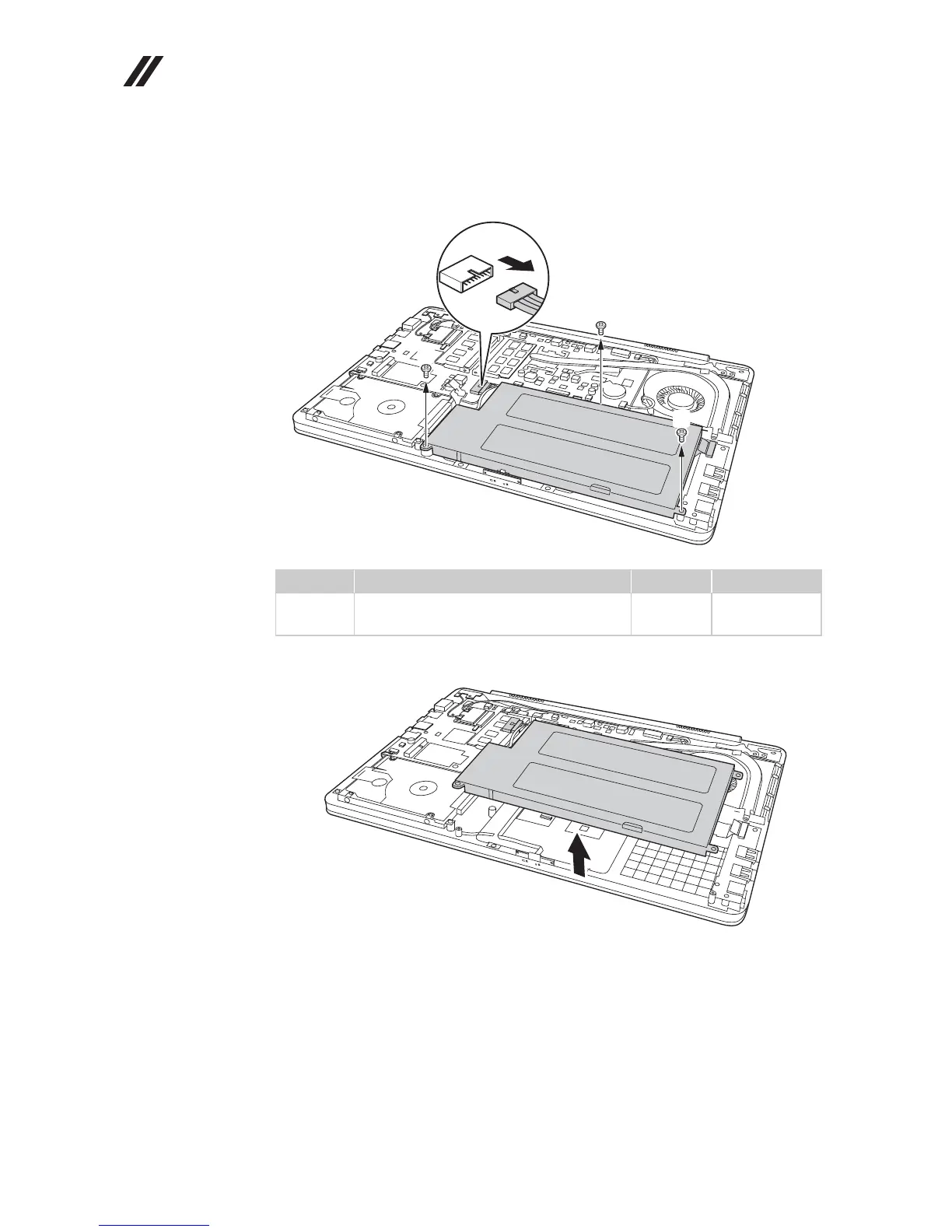
Figure 1. Removal steps of battery pack (continued)
U410: Unplug the battery connector in the direction shown by arrow first,
then remove three screws .
Remove the battery in the direction shown by arrow .
When installing:
• Separate the antenna from other cables. Put them in different tracks to
improve signal reception.
• Make sure to affix the adhesive tape on the battery.
• Connect the battery last.
Step Screw (quantity) Color Torque
M2.0 × 3.0 mm, flat-head, nylokcoated
(3)
Black 2.0 kgfcm
e
d
d
d
d









 To Next Page