Lenovo IdeaPad U310/U410
39
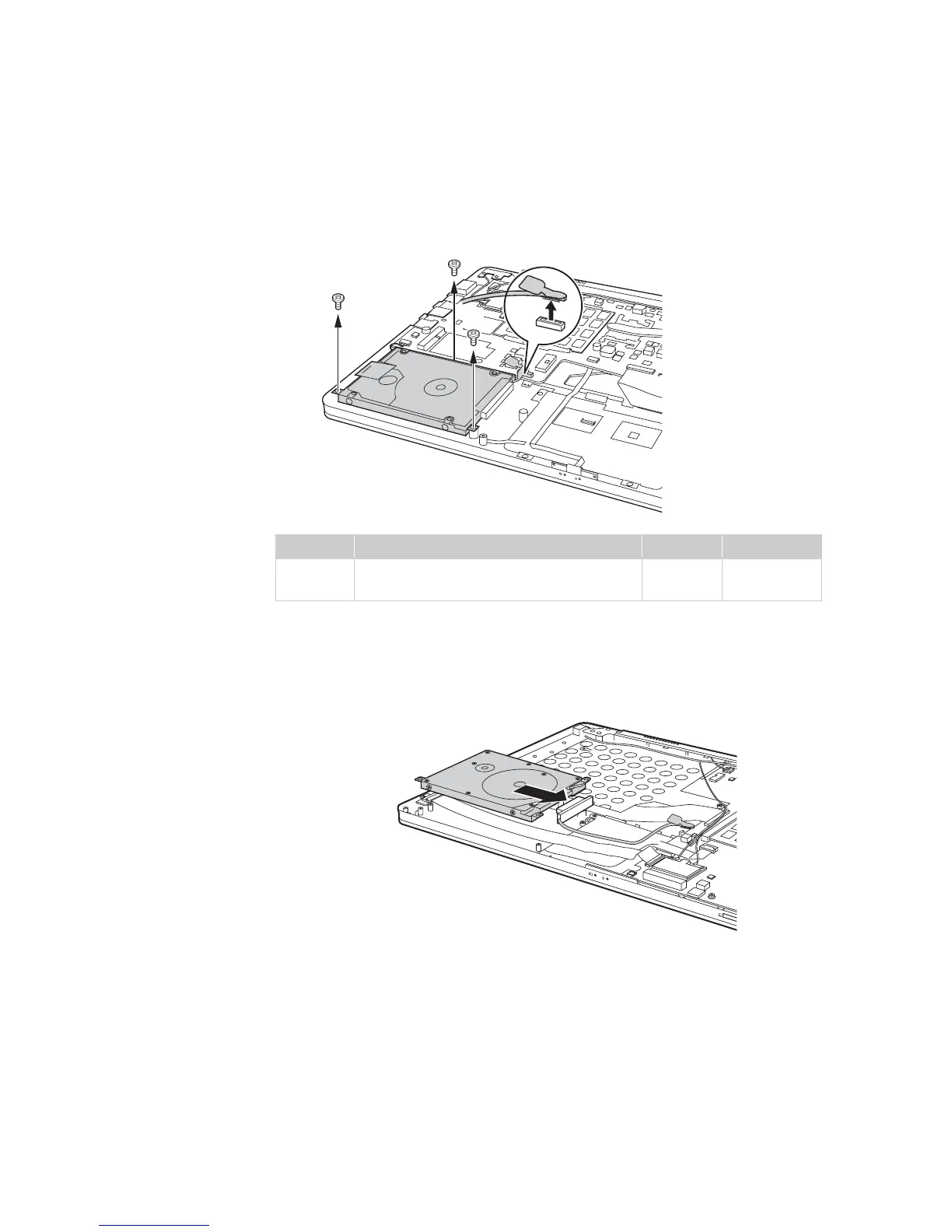
Figure 3. Removal steps of hard disk drive (continued)
U410: Remove the frame fixing screws . Pull the tab to disconnect the
connector .
U310: Hold the SATA receptacle connector with one hand and pull the hard disk
drive (secured in the metal frame) in the direction shown below to detach the
connectors .
Step Screw (quantity) Color Torque
M2.5 × 4.0 mm, flat-head, nylok-coated
(3)
Silver 2.5 kgfcm
a
b
a
a
a
b
a









 To Next Page