Lenovo IdeaPad U310/U410
53
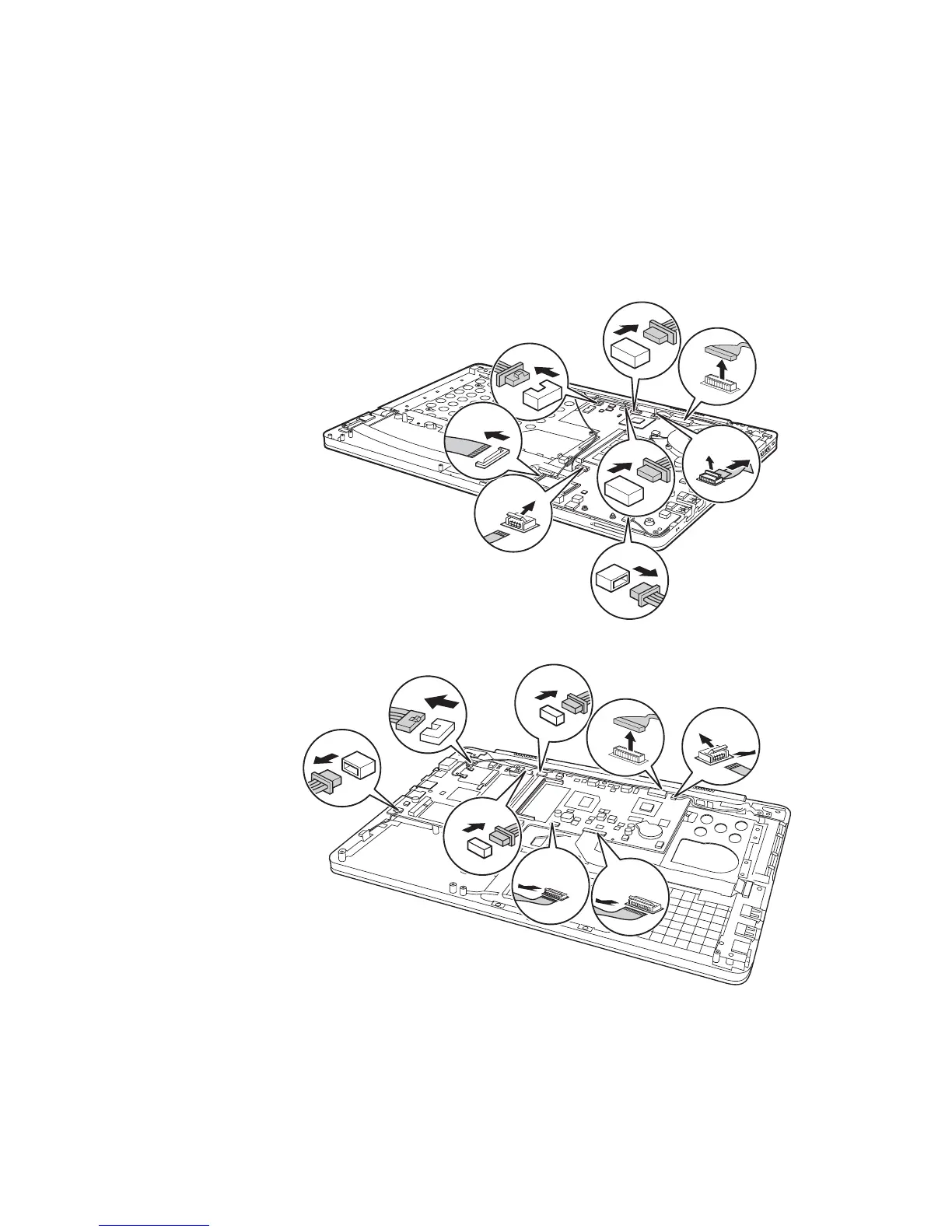
Figure 8. Removal steps of system board (continued)
Unplug the microphone connector in the direction , DC-IN cable connector in
the direction , speaker connector , camera connector , pull the tab to
disconnect the LCD connector in the direction , disconnect power board
connector in the direction , TP connector in the direction , IO board
connector in the direction .
U310:
U410:
When installing: Make sure that all the connectors are attached firmly.
c
g a h
f
d e b
i









 To Next Page