Lenovo IdeaPad U310/U410 Hardware Maintenance Manual
54
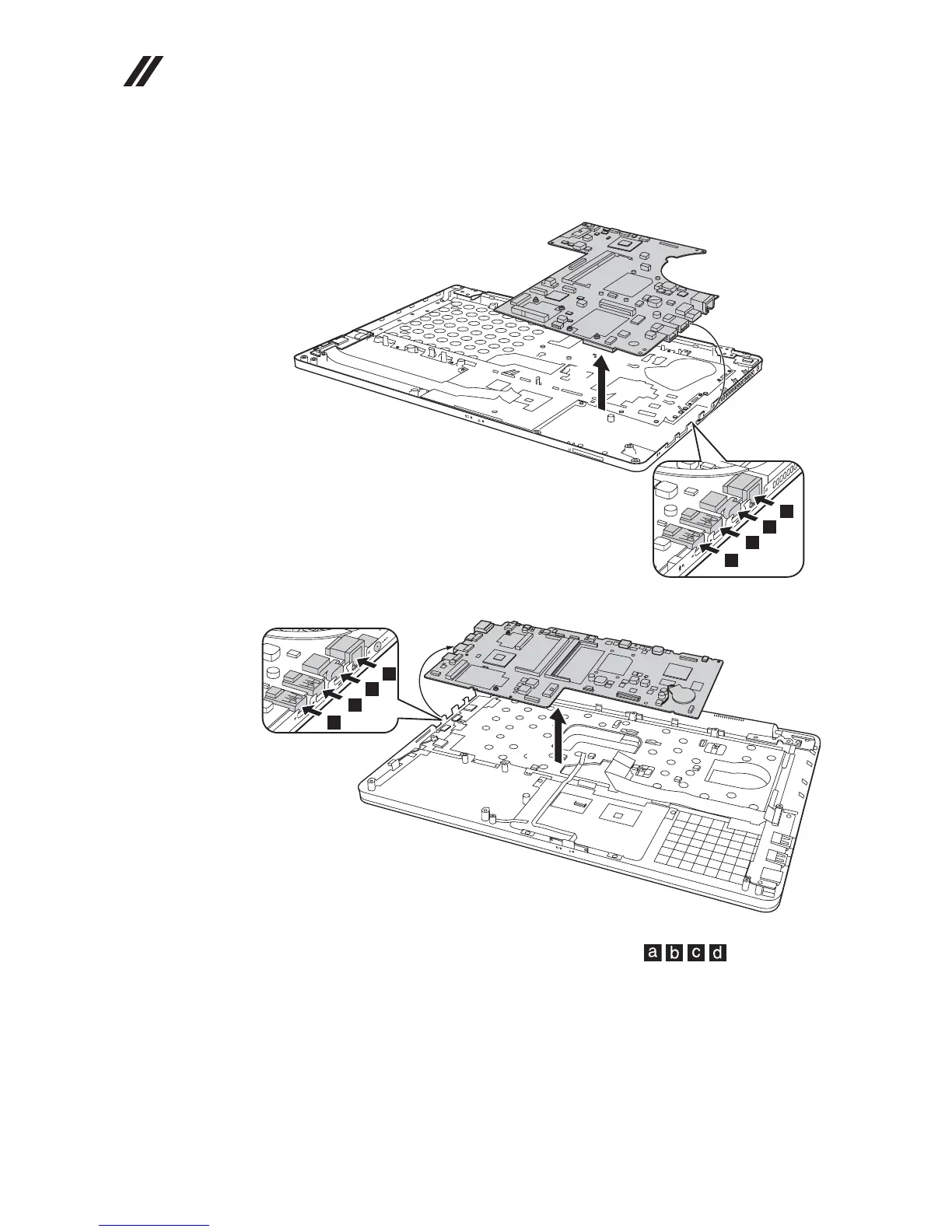
Figure 8. Removal steps of system board (continued)
Remove the system board in the direction shown by arrow .
U310:
U410:
When installing: When attaching the system board to the base cover, adjust the
placement of the USB, HDMI, RJ-45 port as shown in , and make
sure that they are attached to the holes on the base cover as shown. Improper
placement of those jacks might cause a damage.
j
j









 To Next Page