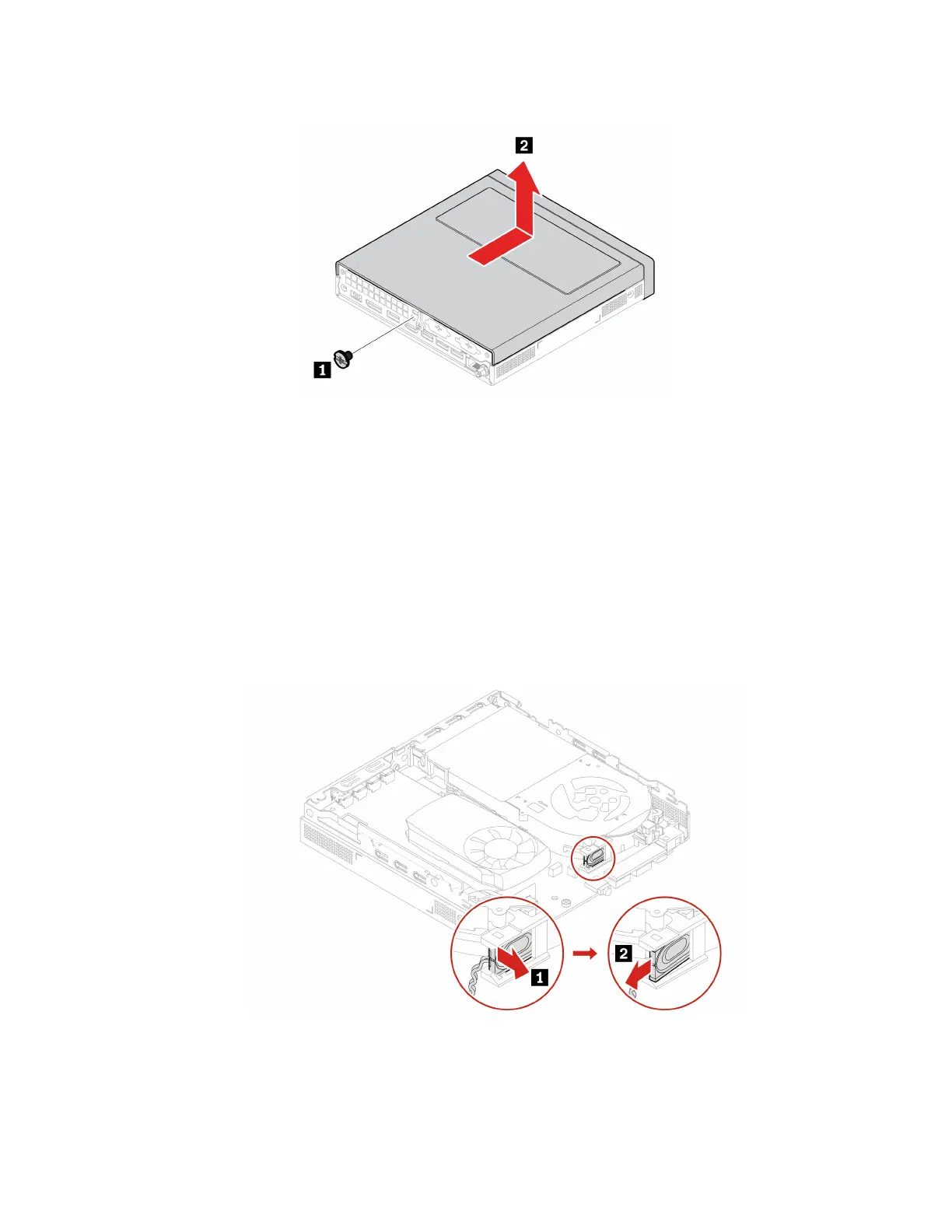
Removal steps
Internal speaker
Prerequisite
Before you start, read Generic Safety and Compliance Notices, and print the following instructions.
For access, do the following:
1. Remove the computer cover.See “Computer cover” on page 34.
2. Disconnect the internal speaker cable from the internal speaker connector on the system board.
Removal steps
• Type-1
• Type-2
Chapter 8. CRU replacement 35


 To Next Page