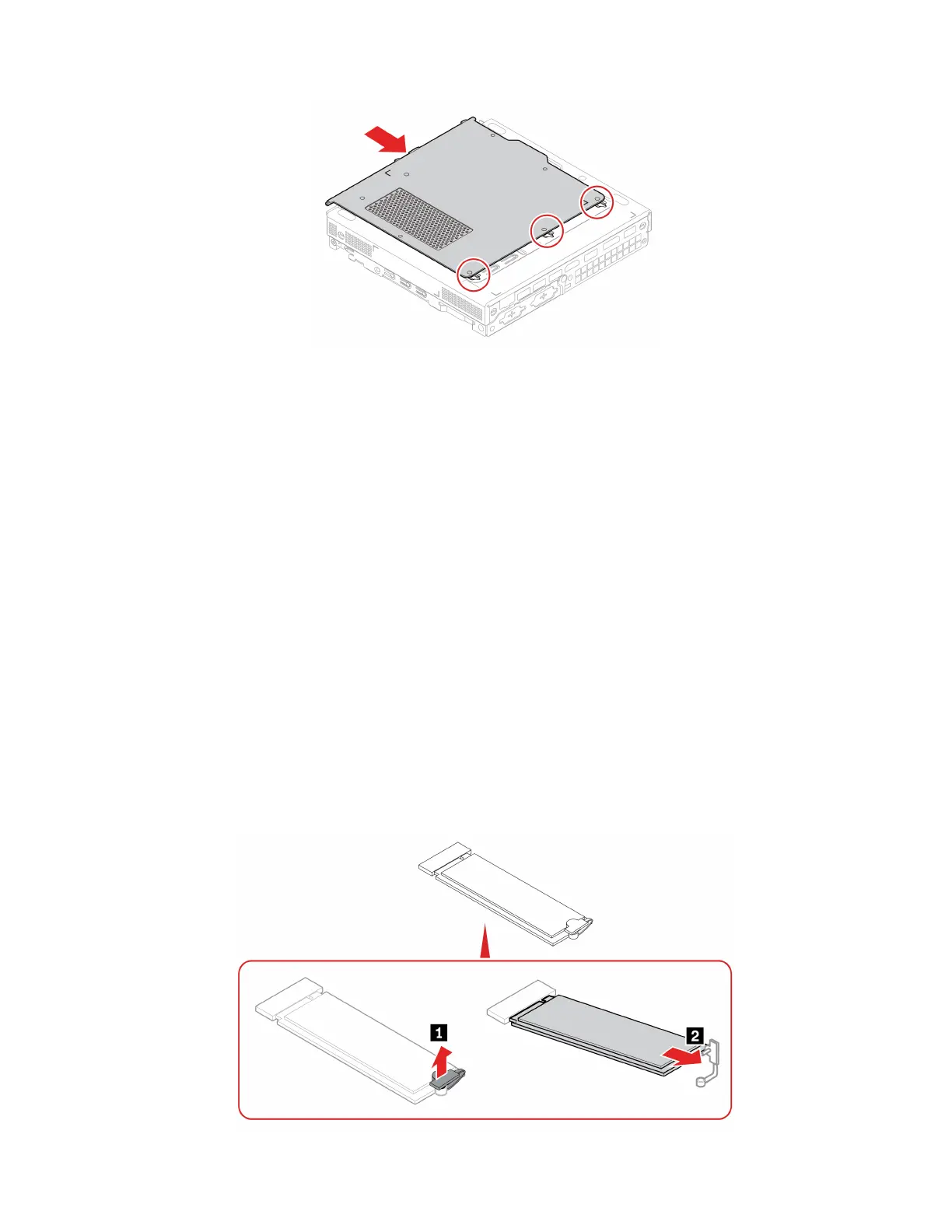
M.2 solid-state drive
Prerequisite
Before you start, read Generic Safety and Compliance Notices, and print the following instructions.
Attention: The M.2 solid-state drive is sensitive. Inappropriate handling might cause damage and
permanent loss of data. When handling the M.2 solid-state drive, observe the following guidelines:
• Replace the M.2 solid-state drive only for upgrade or repair. The M.2 solid-state drive is not designed for
frequent changes or replacement.
• Before replacing the M.2 solid-state drive, make a backup copy of all the data that you want to keep.
• Do not touch the contact edge of the M.2 solid-state drive. Otherwise, the M.2 solid-state drive might get
damaged.
• Do not apply pressure to the M.2 solid-state drive.
• Do not make the M.2 solid-state drive subject to physical shocks or vibration. Put the M.2 solid-state drive
on a soft material, such as cloth, to absorb physical shocks.
For access, remove the following parts in order:
• “Computer cover” on page 34
• “Bottom cover” on page 42
Removal steps
Chapter 8. CRU replacement 43



 To Next Page