• “System fan” on page 36
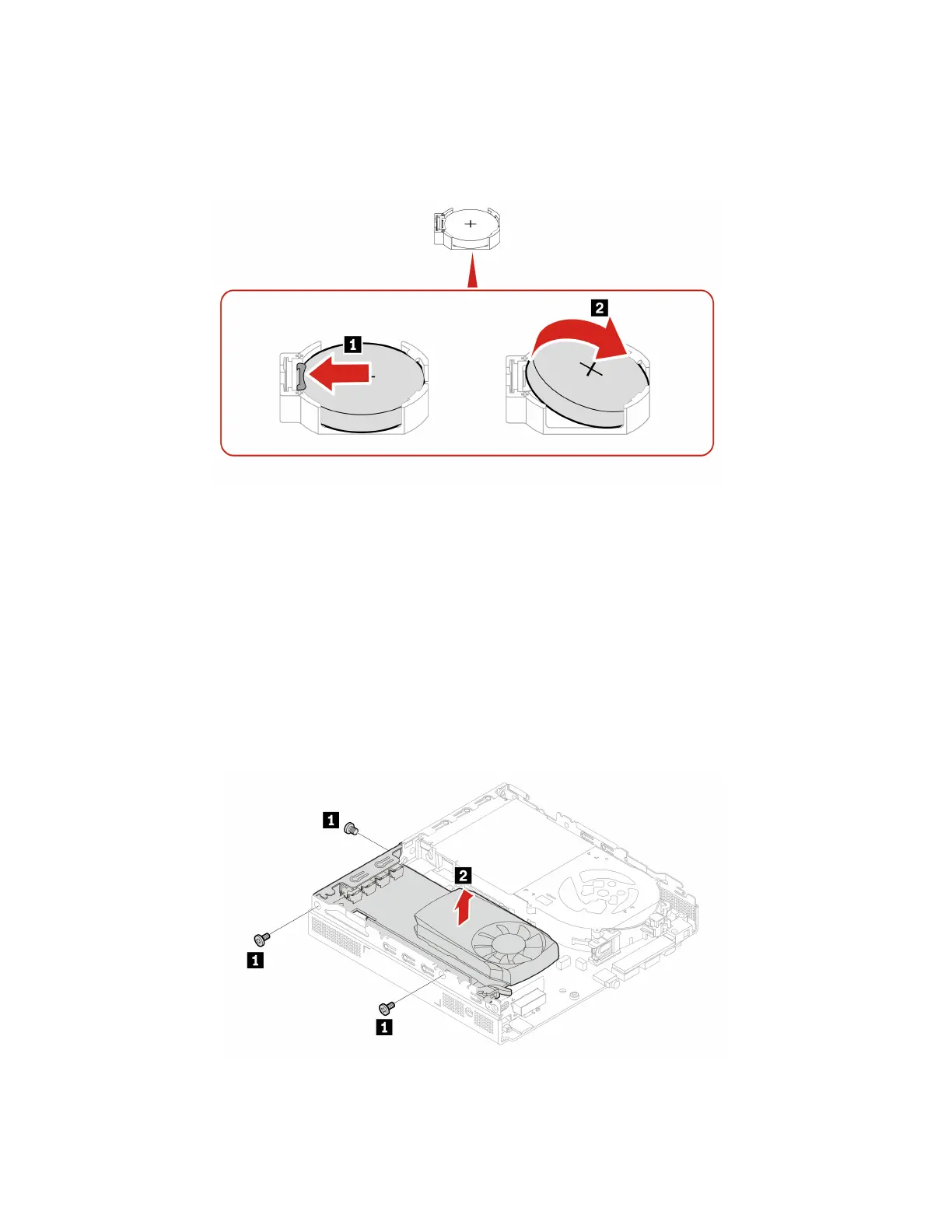
Note: Remove the battery protective cover when removing the battery.
Removal steps
Note: After installing a new coin-cell battery, reset the system date and time in the UEFI BIOS menu.
PCIe card and PCIe converter
Prerequisite
Before you start, read Generic Safety and Compliance Notices, and print the following instructions.
Replacement procedure
• Type 1
1. For access, remove the computer cover, see “Computer Cover” on page 34.
2. Replace the PCIe card and PCIe converter.
38 P360 Tiny User Guide


 To Next Page