Chapter 2. 2-7
Selecting a supported display mode
The display mode of the monitor uses is controlled by the computer. Therefore, refer to
your computer documentation for details on how to change display modes.
The image size, position and shape might change when the display mode changes.
This is normal and the image can be readjusted using automatic image setup and the
image controls.
Unlike CRT monitors, which require a high refresh rate to minimize flicker, LCD or Flat
Panel technology is inherently flicker-free.
The monitor adopts Flicker-Free technology, which clears the eye visible flicker , brings
comfort viewing experience and preventing users suffer from eye strain and fatigue.
Note: If your system has previously been used with a CRT monitor and is currently
configured to a display mode outside the range of this monitor, you may need to
reattach the CRT monitor temporarily until you have re-configured the system;
preferably to 1920 x 1080 at 60 Hz, which is the Native Resolution Display mode.
The display modes shown below have been optimized at the factory.
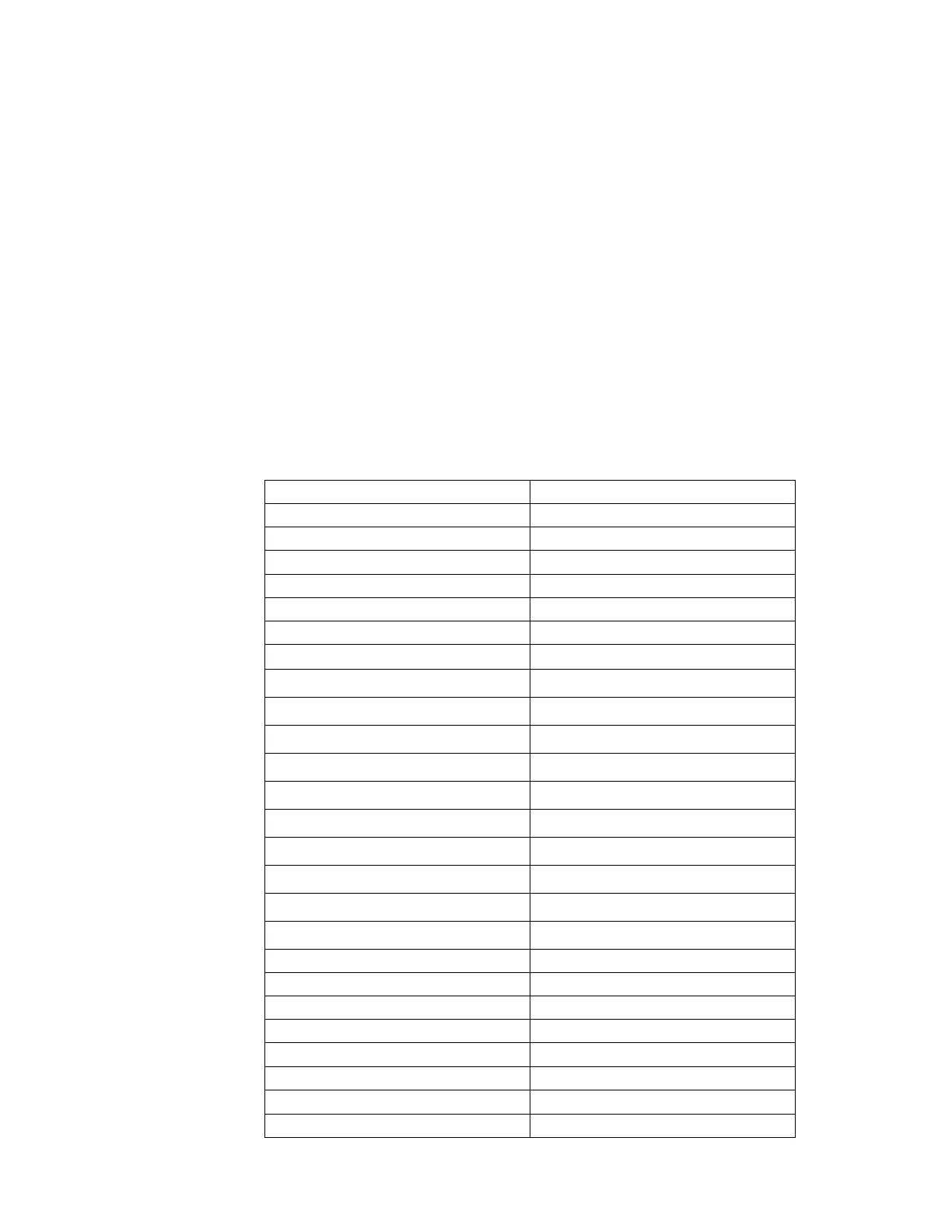
Table 2-3. Factory set display modes
Timing Refresh rate(Hz)
640x480 60Hz
640x480 72Hz
640x480 75Hz
720x400 70Hz
720x480 60Hz
720x576 50Hz
800x600 60Hz
800x600 72Hz
800x600 75Hz
832x624 75Hz
1024x768 60Hz
1024x768 75Hz
1152x864 75Hz
1280x720 50Hz
1280x720 60Hz
1280x1024 60Hz
1280x1024 75Hz
1366x768 60Hz
1440x900 60Hz
1600x900 60Hz
1600x900 75Hz
1680x1050 60Hz
1920x1080 50Hz
1920x1080 60Hz
1920x1080 75Hz






 To Next Page