Accessory decoder LS150 14
14
second output. To set this output, go back to step 3.
Repeat this procedure for all outputs of the LS150.
To complete the setting process at any time, press and hold
the push-button until the LED turns off.
If you want to skip a certain setting, simply press the key again
and the LS150 will proceed to the next step. This also makes it
possible to set a single output separately.
If you want to stop the setting procedure at any given time, press
the push-button until the LED turns off.
Note: If the address of an output is reset, the pulse
duration set during a previous setting procedure will
remain unchanged.
Resetting the decoder
To reset the decoder to its factory defaults setting, proceed as
follows:
1. Interrupt the AC voltage supply to the LS150 (You can turn off
the transformer to accomplish this step).
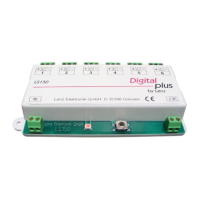
2. Press the push-button on the LS150 and keep it pressed
down.
3. Turn on the AC voltage that is connected to the LS150s ≈
terminals.
4. Proceed as if you wanted to activate a turnout controlled by
the LS150 and press the corresponding key of the digital
system to activate one of the LS150s outputs.
5. Release the push-button.
The LS150 is now reset to the point addresses 1 – 6 and the
shortest pulse duration (100ms). After being reset, the LS150
decoder will complete a test during where each output is activated
one after another. If switch machines are connected to the LS150,
these will be each be activated briefly one after the other.


 To Next Page