16
F1
VALUE
DOWN UP
Rise Time
Fast Speed
Slow Speed
[Control Ch]
[Prog. Ch]
[Mod Rx]
[Exp Rx]
[S/F Type]
[P.F.SW Type]
[Dump Out]
[S/F Cont.Code]
Cross Over Freq./ Cabi. Resonance
Fall Time
Brake Time
Rotor Direction /Mic Angle
Character /Mic DistanceHorn
*7
VALUE
DOWN UP
The above data can be stored to a Preset. Please see page 24 for information on how to save Presets.
Rise Time
Fast Speed
Slow Speed
[Control Ch]
[Prog. Ch]
[Mod Rx]
[Exp Rx]
[S/F Type]
[P.F.SW Type]
[Dump Out]
[S/F Cont.Code]
Cross Over Freq./ Cabi. Resonance
Fall Time
Brake Time
Rotor Direction /Mic Angle
Character /Mic DistanceHorn
HORN
ROTOR
LOW
ROTOR
FUNCTI ON
SELECT
Touch & Hold
[ ]
MIDI
HORN
ROTOR
LOW
ROTOR
FUNCTI ON
SELECT
Touch & Hold
HORN
ROTOR
LOW
ROTOR
FUNCTI ON
SELECT
Touch & Hold
[ ]
MIDI
HORN
ROTOR
LOW
ROTOR
FUNCTI ON
SELECT
Touch & Hold
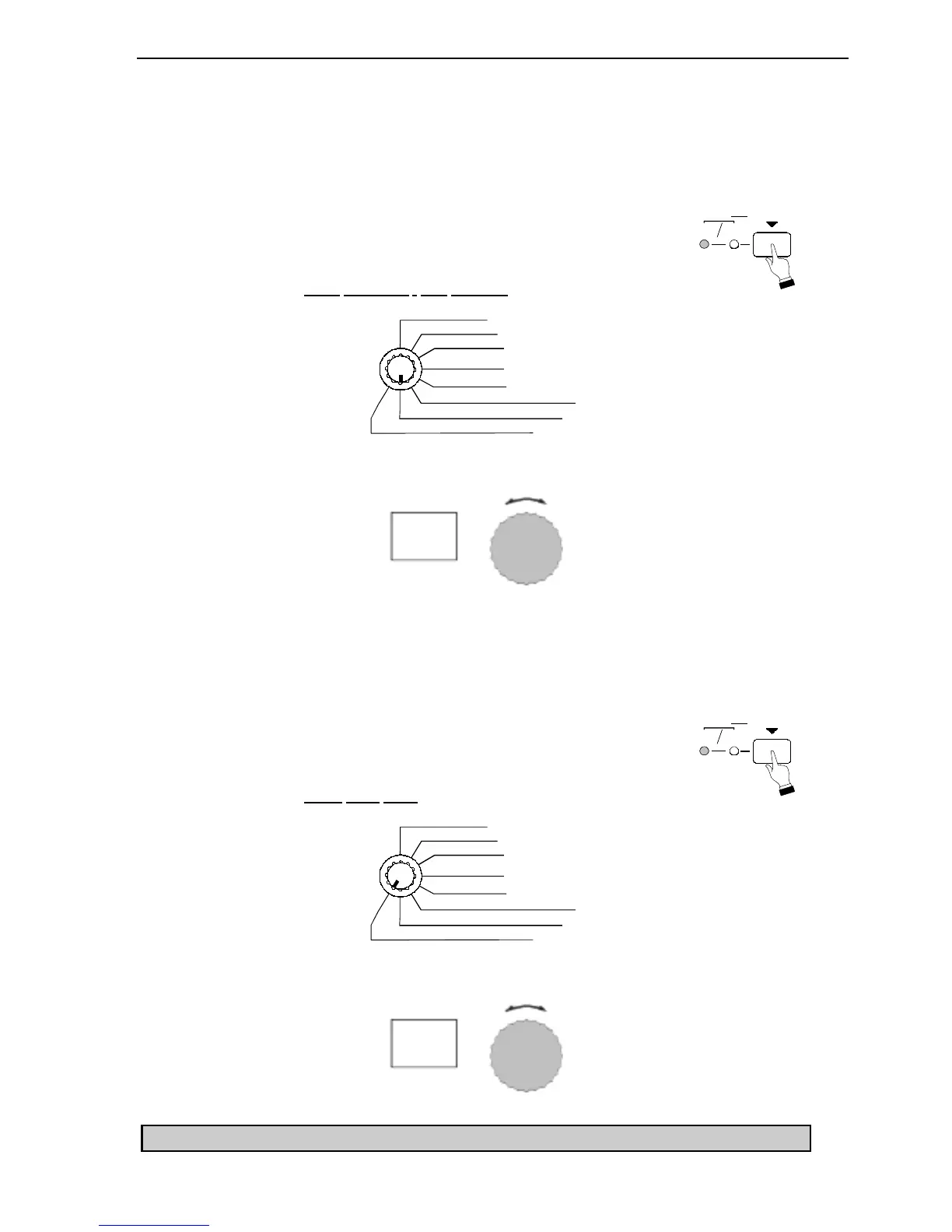
Ë Horn Character
This Advanced Feature allows you to select the Resonance frequency for the Horn Rotor. You can select
“1.0” (1.0kHz), “1.5” (1.5kHz), “2.0” (2.0kHz) or “Fl” (flat).
TRY THIS:
1. Touch the FUNCTION SELECT switch to select
HORN ROTOR. The red LED will light.
2. Select Horn
Character / Mic Distance using the Function Selector.
3. Use the VALUE Rotary Knob to select the value you want.
Ë Crossover Frequency
This Advanced Feature allows you to select the crossover frequency for the Horn and Low Rotor. You
can select “0.7” (700Hz), “0.8” (800Hz) or “1.0” (1.0kHz).
TRY THIS:
1. Touch the FUNCTION SELECT switch to select
HORN ROTOR. The red LED will light.
2. Select Cross
Over Freq. using the Function Selector.
3. Use the VALUE Rotary Knob to select the value you want.



 To Next Page