21
LA
VALUE
DOWN UP
64
VALUE
DOWN UP
Rise Time
Fast Speed
Slow Speed
[Control Ch]
[Prog. Ch]
[Mod Rx]
[Exp Rx]
[S/F Type]
[P.F.SW Type]
[Dump Out]
[S/F Cont.Code]
Cross Over Freq./ Cabi. Resonance
Fall Time
Brake Time
Rotor Direction /Mic Angle
Character /Mic DistanceHorn
Rise Time
Fast Speed
Slow Speed
[Control Ch]
[Prog. Ch]
[Mod Rx]
[Exp Rx]
[S/F Type]
[P.F.SW Type]
[Dump Out]
[S/F Cont.Code]
Cross Over Freq./ Cabi. Resonance
Fall Time
Brake Time
Rotor Direction /Mic Angle
Character /Mic DistanceHorn
HORN
ROTOR
LOW
ROTOR
FUNCTI ON
SELECT
Touch & Hold
[ ]
MIDI
HORN
ROTOR
LOW
ROTOR
FUNCTI ON
SELECT
Touch & Hold
HORN
ROTOR
LOW
ROTOR
FUNCTI ON
SELECT
Touch & Hold
[ ]
MIDI
HORN
ROTOR
LOW
ROTOR
FUNCTI ON
SELECT
Touch & Hold
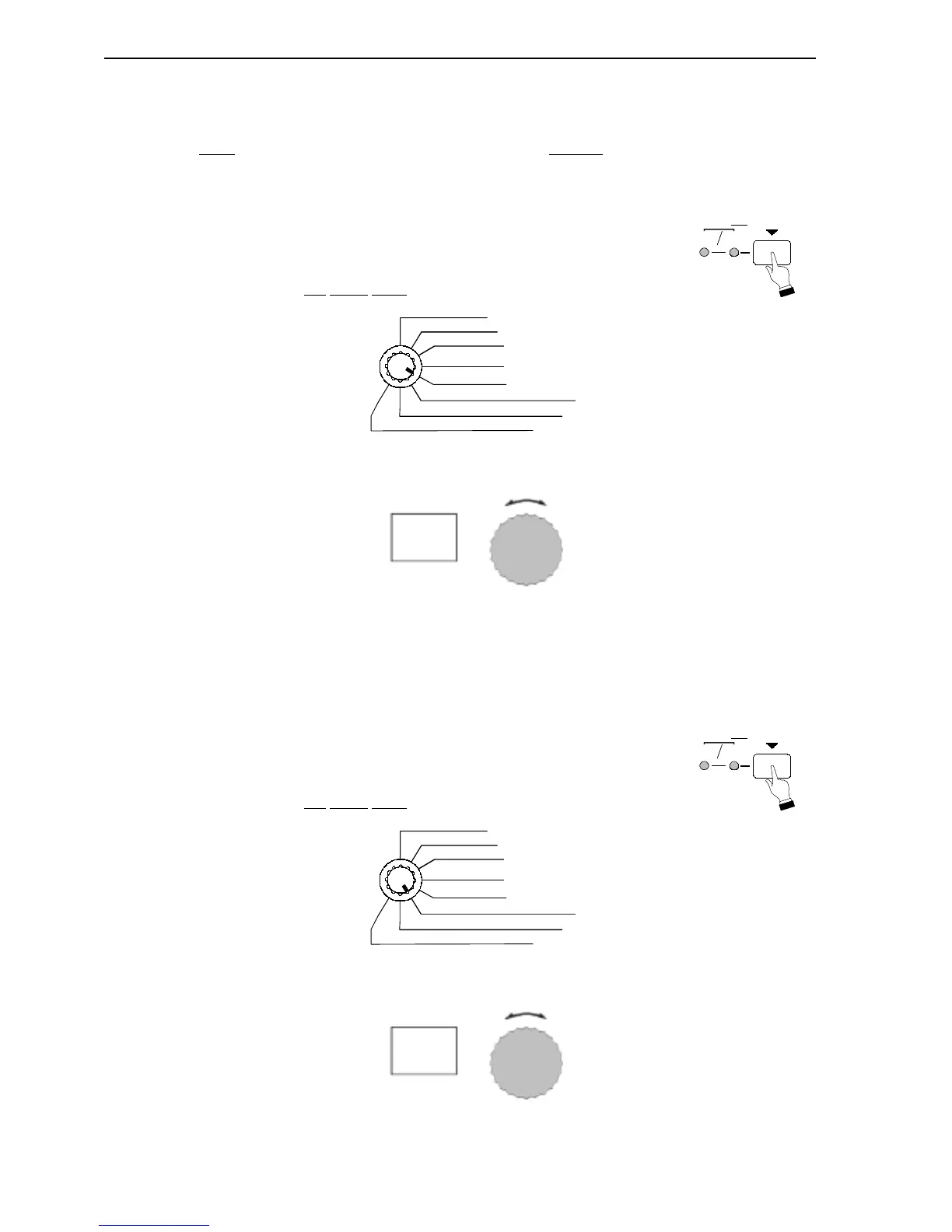
Ë S/F (Slow/Fast) Foot Switch Type
This Advanced Feature allows you to set up the mode for the Slow/Fast Foot Switch. You can select
“LA” (Latch
, or alternate press-on-press-off mode) or “uL” (Unlatch, or momentary press-on-release-
off) mode.
TRY THIS:
1. Touch and Hold the FUNCTION SELECT switch for
approximately 1 second. Both LEDs will light.
2. Select S/F
Cont. Code using the Function Selector.
3. Use the VALUE Rotary Knob to select the value you want.
Ë S/F (Slow/Fast) Foot Switch Control Code
This Advanced Feature allows you to select the Control Code for a Slow/Fast Foot Switch. You can
select from “0” through “99.”
TRY THIS:
1. Touch and Hold the FUNCTION SELECT switch for
approximately 1 second. Both LEDs will light.
2. Select S/F
Cont. Code using the Function Selector.
3. Use the VALUE Rotary Knob to select the value you want.



 To Next Page