- 12 -
Note:
To monitor heart rate more accurately, wear the watch on the
upper position of your wrist and a bit tighter than usual when
you exercise. In addition, complete your profile in the app.
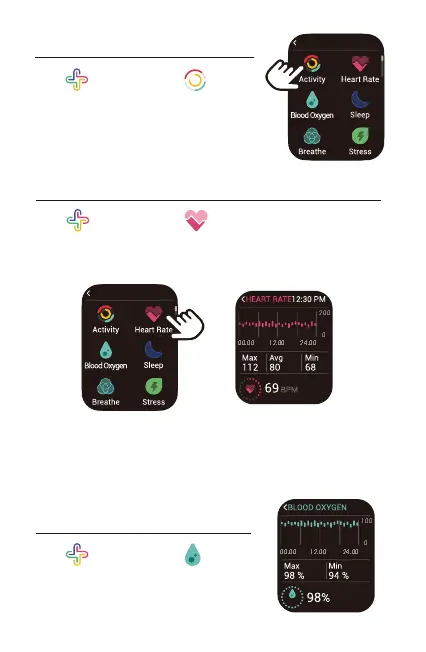
2. Monitoring Heart Rate
Tap " Health" and tap “ Heart Rate” in the function list,
the watch will automatically measure your real-time heart rate.
You can also view your all-day heart rate data in the heart rate
interface of the watch or in the app.
3. Measuring Blood Oxygen Level
Tap " Health" and tap “ Blood
Oxygen” to enter the blood oxygen level
detection mode.
1. Tracking Daily Activity Data
Tap " Health" and tap “ Activity”
in the function list.
The watch tracks your all-day activity data,
including steps, distance, calories burned,
etc.
HEALTH 12:30 PM
HEALTH 12:30 PM



 To Next Page