EasyManua.ls Logo

Letsfit E22 - Understanding Watch and App Interfaces; App Interface Navigation

Letsfit E22
25 pages
Print Icon
To Next Page IconTo Next Page
To Previous Page IconTo Previous Page
Loading...
App Interfaces
- 7 -
Device
After the watch is connected to your
phone, you can customize watch
face / call / message / alarm /
sedentary alert , etc.
60%
Noti ficat ion Alert s
Off
Off
Do Not Dist urb
Nigh t Mode
Bright ness
Alarm
Sedentar y Alert
Weather Forecas t
Photos Info
Watch Fac es
Analog
8000
234 25
E22 0021
MAC
:
00
:
45
:
15
:
30
:
01
:
21
Batter y 97% | Connected
Device All devices
Summary Device More
V1.9
8000
234 25
Workout
1/30 MIN
Active Hours
4/12
HRS
Steps
7,736/10k
Activity
Summary
Training
More
Summary Device More
Edit
Mon, Nov 22
Heart
Heart Rate
i
Outdoor Cycle
00:38:24 3.01
1.92
MPH
MI
00:16:04 25‘04“
0.64
/MIMI
Outdoor Walk
Mon, Today 2:46 PM
Mon, Today 2:28 PM
Today’s data
Summary
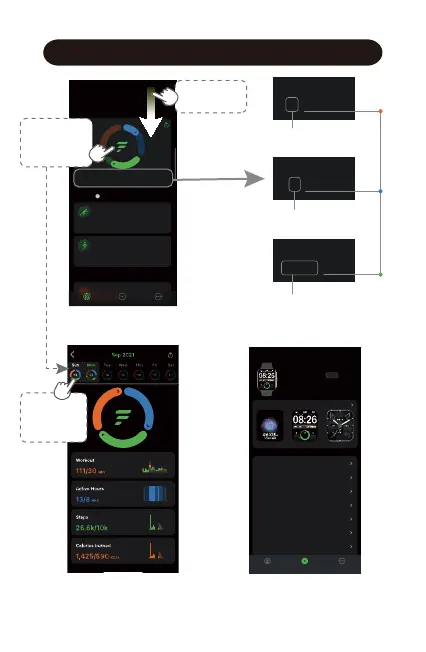
Select a
date to view
the data.
Swipe down
to sync data.
Workout
1/30 MIN
Active Hours
4/12 HRS
Daily Workout Minutes
Daily Active Hours
Daily
Target
Value
Daily Steps
Steps
7,736/10k
Tap to view
today’s
activity data.

Related product manuals