- 16 -
When messages (like Facebook, Twitter, and
Instagram messages) come in, the watch
vibrates to alert you, and the screen
displays the message content.
Notes:
● Only when "Notification alerts" is enabled in the app
("Device" page → "Notification alerts", turn on "Notification
alerts"), will messages be notified.
● When the "DND" function is enabled in the app ("Device"
page → "Do Not Disturb") or on the watch (Quick settings
bar→ ), messages will not be notified on the watch
during the do-not-disturb period.
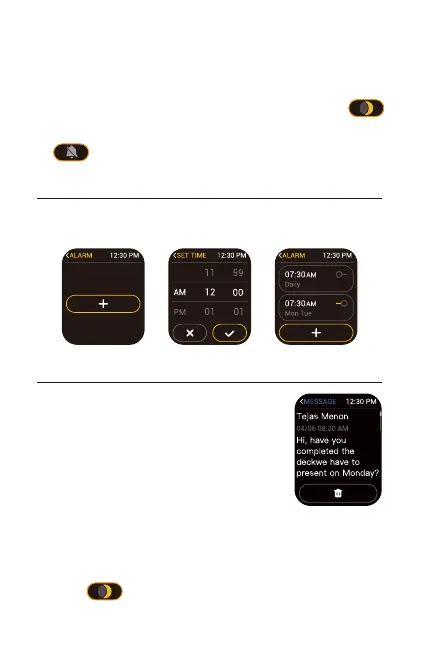
6. Setting Alarms
You can add/enable/disable the alarm on your watch (Tap
"Clock" → "Alarm"on the watch and then choose to add or turn
on/off the alarm you set.)
7. Message Notification
Notes:
● Only when "Notification alerts" is enabled in the app ("Device"
page → "Notification alerts", turn on "Notification alerts"), will
phone call be notified.
● When the "DND" function is enabled in the app ("Device" page →
"Do Not Disturb") or on the watch (Quick settings bar→ ),
phone call will not be notified on the watch during the
do-not-disturb period.
● "Silent Mode On" can turn off ringtone of the watch.



 To Next Page