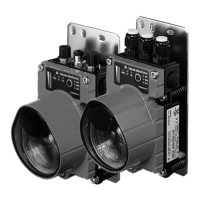
6.2 Commissioning
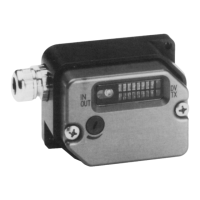
6.2.1 Setting the DLSP
➜
Setting the transmit and receive address.
➜ Setting the output storage characteristics.
Fig. 15 Setting the DLSP
6.2.2 Performance test
➜ Switch on the supply voltage.
➜ Apply one or more input signals.
➜ Transmit data (input TX at "l").
The relevant input LEDs light up in red.
➜ Receive data (input Output enable at "1")
➜ Check receiver:
•
the relevant output LEDs light up in green,
•
the "Data valid" display lights up in yellow.
➜
Repeat the process for the other transmission direction.
6.2.3 Sensitivity adjustment
➜
Create the worst transmission conditions which can conceivably occur during
use:
•
greatest possible distance,
•
greatest possible lateral offset.
➜ At the first unit, remove the cover over the potentiometer for sensitivity ad-
justment.
➜
Turn the potentiometer as far to the right as it will go.
➜ Then turn the potentiometer slowly to the left until the display "Data valid"
goes out at the unit positioned opposite.
➜
Turn the potentiometer around back to the right by around 1/4 turn.
➜ Replace the cover over the potentiometer.
➜ Repeat the process at the other DLSP.
1
0
Empfangsadressen
Sendeadressen
speichern nicht speichern
0
1
2
3
0
1
2
3
Do not store Store
Leuze electronic DLSP 160S 17


 To Next Page
 Loading...