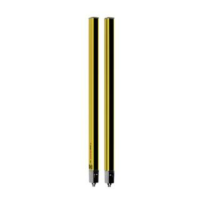
Device description
Leuze electronic MLC 520 Host/Guest 15
3.4.2
Operating indicators on the MLC520 receiver
Two LEDs and a 7-segment display for showing the operating state are located on the receiver:
1 LED1, red/green
2 LED2, yellow
3 OSSD icon
4 RES icon
5 7‑segment display
Fig.3.6: Indicators on the MLC 520 receiver
Tab.3.3: Meaning of the LEDs on the receiver
LED Color State Description
1 Red/green OFF Device switched off
Red OSSD off
Red, flashing slowly (approx.1Hz) External error
Red, flashing fast (approx.10Hz) Internal error
Green, flashing slowly (ap-
prox.1Hz)
OSSD on, weak signal
Green OSSD on
2 Yellow OFF • RES deactivated
• or RES activated and enabled
• or RES blocked and protective
field interrupted
ON RES activated and blocked but
ready to be unlocked - protective
field free
7-segment display at the MLC 520 receiver
In normal operation, the 7-segment display shows the number of the selected transmission channel. In ad-
dition, it helps during the detailed error diagnostics (see chapter 11 "Troubleshooting") and serves as an
alignment aid (see chapter 8.2 "Aligning the sensor").


 To Next Page
 Loading...