Network Camera User’s Manual
54/62
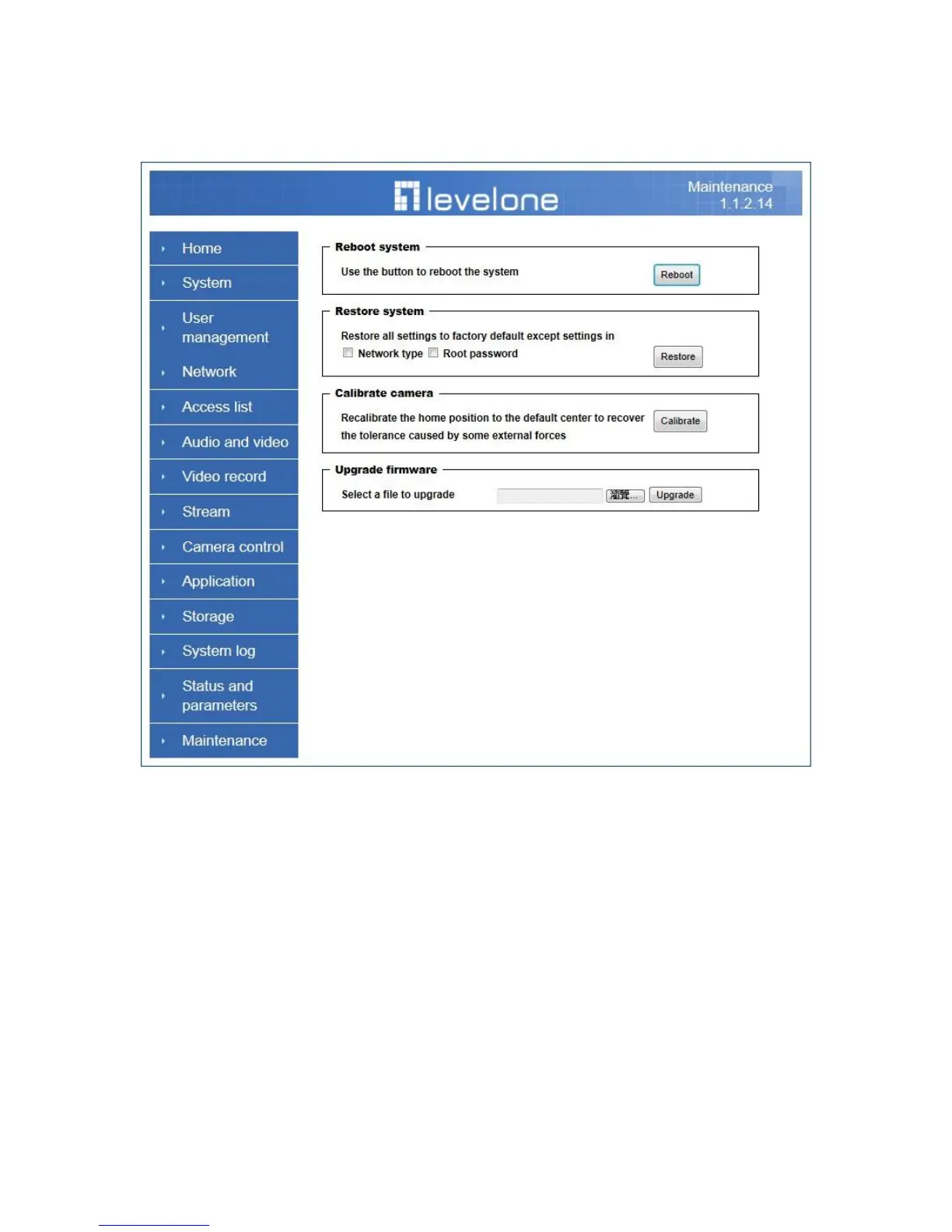
Maintenance
1. “Reboot system” The “Reboot” button will reboot the Network Camera. It’s useful
while the Network Camera got problem.
2. “Restore system” Click on ―Restore‖ button on the configuration page to restore
the factory default settings. Restore all settings to factory default except settings in
―Network type ‖ and ―Root Password‖. The system will restart and require the installer
program to set up the network again.
3. “Export/Import file”
-- Export setting backup file: Click to export all parameters for the device and
user-defined scripts.
-- Upload setting backup file: Click Browse… to upload a setting backup file. Please note
that the model and firmware version of the device should be the same as the setting
backup file. If you have set up a fixed IP or other special settings for your device, it is not
suggested to upload a settings backup file.
4. “Upgrade firmware” Select the firmware file and click upgrade button. Please be
aware that you should not turn off the power during updating the firmware and wait for
finish message.















 To Next Page