Internet Security Level: Default
Step 1: Start the Internet Explorer (IE).
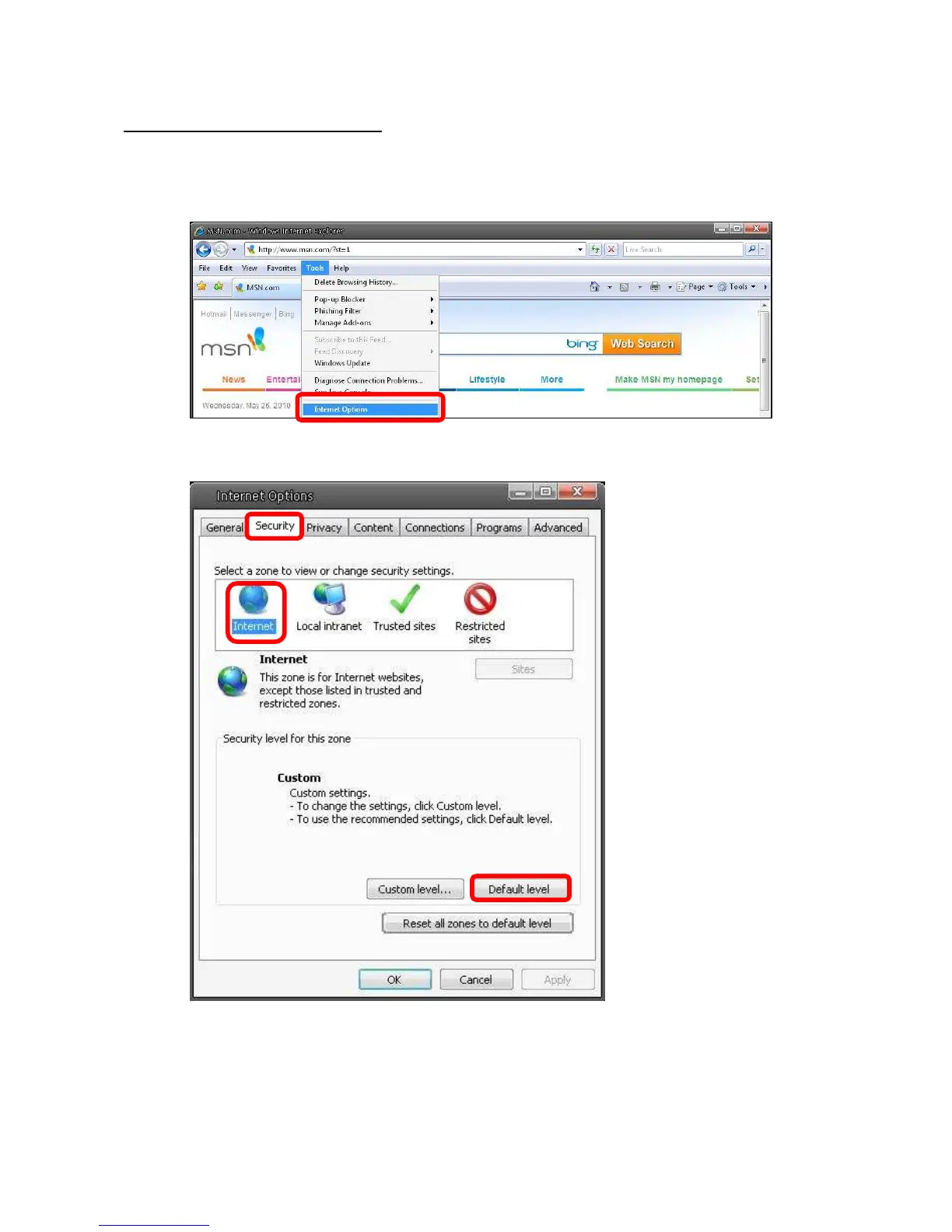
Step 2: Select <Tools> from the main menu of the browser. Then Click <Internet Options>.
Step 3: Click the <Security> tab, and select <Internet>.
Step 4: Down the page, press “Default Level” (see the figure above) and click “OK” to
confirm the setting. Close the browser window, and open a new one later when
accessing the IP Camera.















 To Next Page