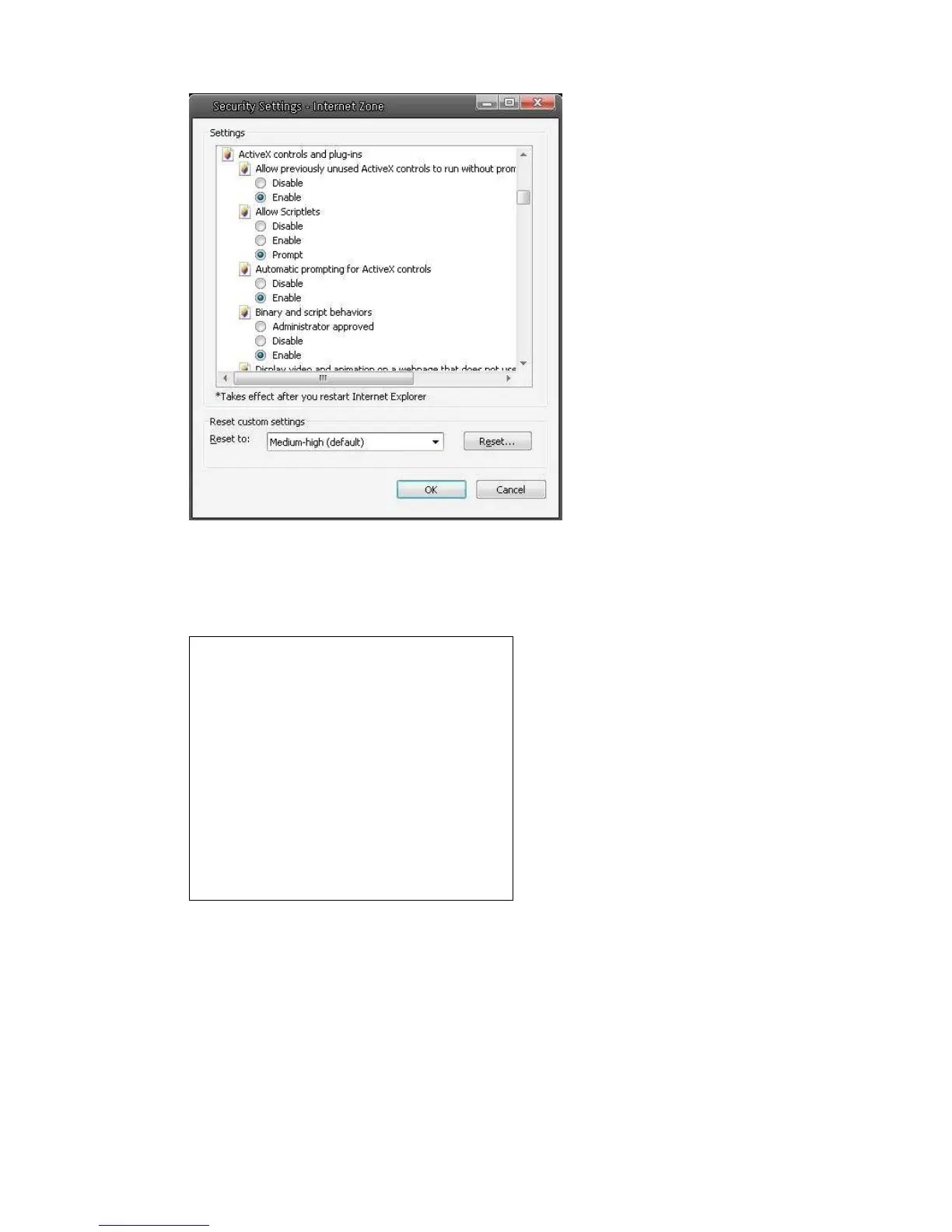
Step 5: Under “ActiveX controls and plug-ins”, set ALL items (as listed below) to <Enable>
or <Prompt>.
ActiveX controls and plug-ins settings:
1. Automatic prompting for ActiveX controls
2. Binary and scrip behaviors
3. Download signed ActiveX controls
4. Download using ActiveX controls
5. Initialize and script ActiveX not marked
as safe
6. Run ActiveX controls and plug-ins
7. Script ActiveX controls marked safe for
scripting
Step 6: Click <OK> to accept the settings and close the <Security> screen.
Step 7: Click <OK> to close the Internet Options screen.
Step 8: Close the browser window, and restart a new one later for accessing the IP
Camera.















 To Next Page