Network Camera User’s Manual
19/63
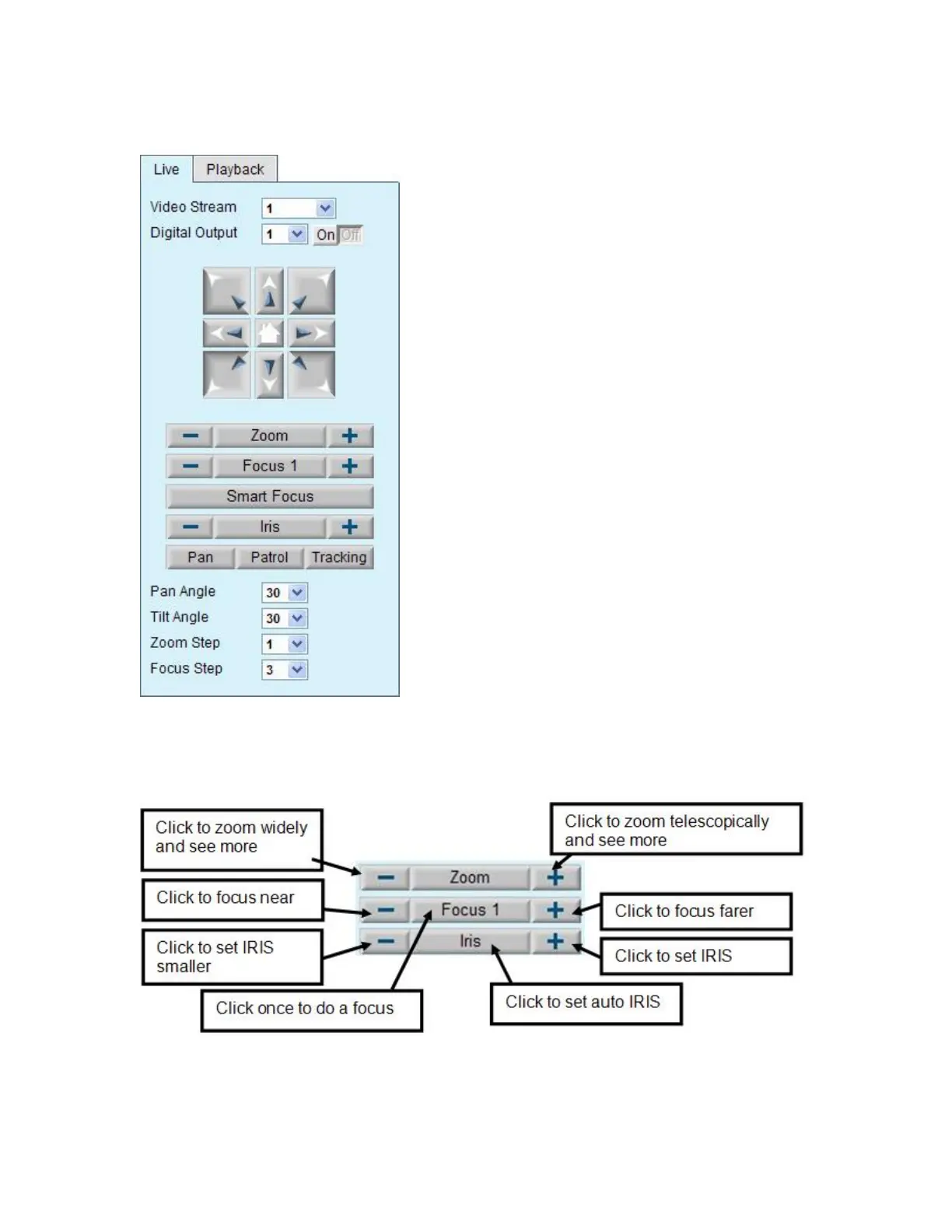
Pan/Tilt & connection control buttons:
1. “Video Stream” User can choose stream1 or
stream2 & picture.
2. “The direction buttons are” ―Left‖, ―Right‖, ―Up‖,
―Down‖, ―Cross Angles‖, and ―Home‖. Camera
returns to center when click ―Home‖ button
3. “Pan Angle” User can choose the angles when
the camera moves left and right each time.
4. “Tilt Angle” User can choose the angles when
the camera moves up and down each time.
5 “Focus” There are two different Focus modes,
Focus1 and Focus2, press two seconds on the
Focus icon to switch the mode. Focus1 is autofocus
mode, the camera will do focus after Pan/Tilt moving,
Zoom in/out, any large video difference…and so on.
Focus2 mode, the camera will do focus after Zoom
in/out.
6“Smart Focus”Smart Focus function, use
mouse and left key to pull a area, and then the
camera will focus to this area.
7 “Iris” Adjust the iris size
8 “Pan” The camera will move from right side to left
side continuously when click the button.
9 “Patrol” The button directs the camera to patrol
among the preset positions in the patrol list, which
can be modified on the “Camera control page”.
The cycle of patrol is from 1 to 50.
10 “Video Tracking” is able to track dynamic
objects within screen video.
11“3D Auto location” Press the left key of the mouse, and pull and choose a certain
area in the picture in diagonal direction, can enlarge this area, and put this area in the
middle position of picture of controlling.















 To Next Page