Network Camera User’s Manual
29/63
RTSP stream access names setting Advanced Mode
The RTSP streaming currently supports video only, audio only, and audio/video. To use
the audio/video stream, type the URL as―rtsp://61.30.125.43/liveN.sdp‖.
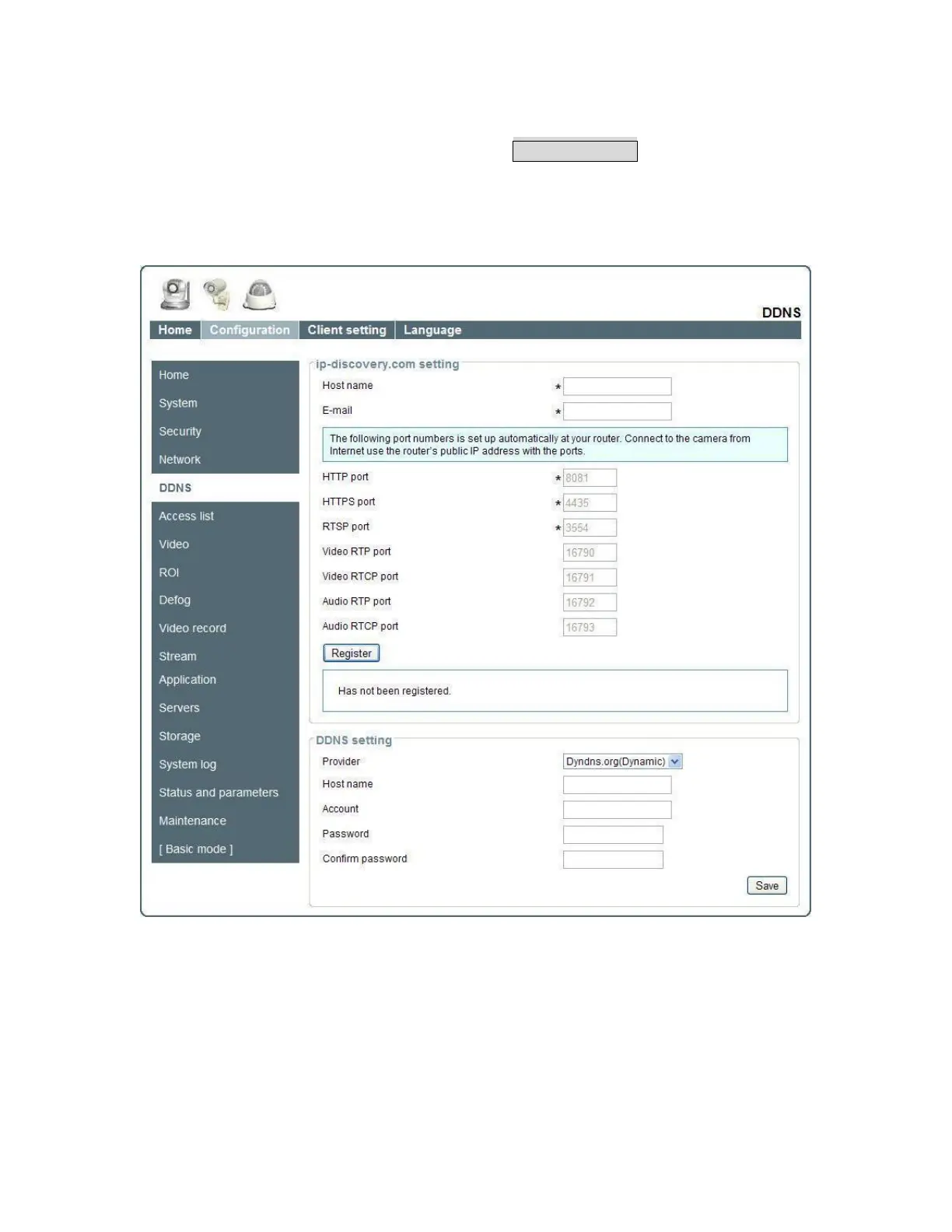
DDNS
DDNS setting
“3rd party DDNS” This is enable 3
rd
party DDNS.
“Provider” The provider list contains hosts that provide DDNS services. Please
connect to the service provider’s website to make sure the service charges.
“Host Name” If the User wants to use DDNS service, this field must be filled. Please
input the hostname that is registered in the DDNS server.
“User name” The Username or E-mail field is necessary for logging in the DDNS















 To Next Page