Network Camera User’s Manual
21/63
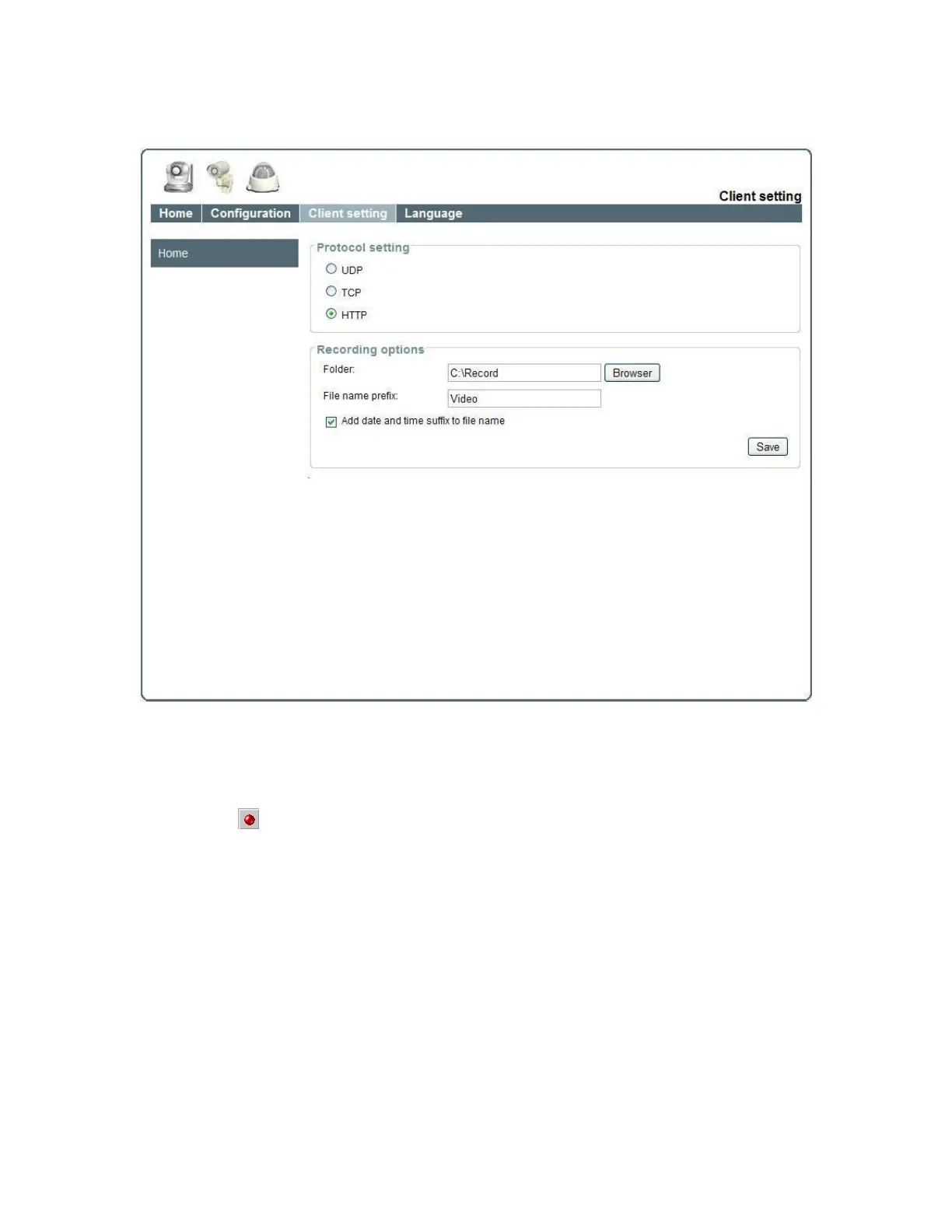
Client Setting
1. “Protocol setting” Setting camera of protocol.
“UDP” Select use UDP protocol connect camera.
“TCP” Select use TCP protocol connect camera.
“HTTP” Select use HTTP protocol connect camera.
2. “Recording options” Users can record live video as they are watching by
clicking start MP4 Recording on the main page. Here, you can specify the
storage destination and file name.
“Folder” Specify the storage destination for the recorded video files.
“File name prefix” Enter the text that will be appended to the front of the video
file name.
“Add date and time suffix to file name” Select this option to append the date
and time to the end of the file name.
NOTE:Protocol Options which allows choices on connection protocol between client and
server. There are three protocols choices to optimize your usage – UDP, TCP, HTTP.
The UDP protocol allows for more real-time audio and video streams. However, some
packets may be lost due to network burst traffic and images may be obscured.
The HTTP protocol allows for less packet loss and produces a more accurate video















 To Next Page