6
Chapter 2 Run and Login
A. Power this in wall AP in right way
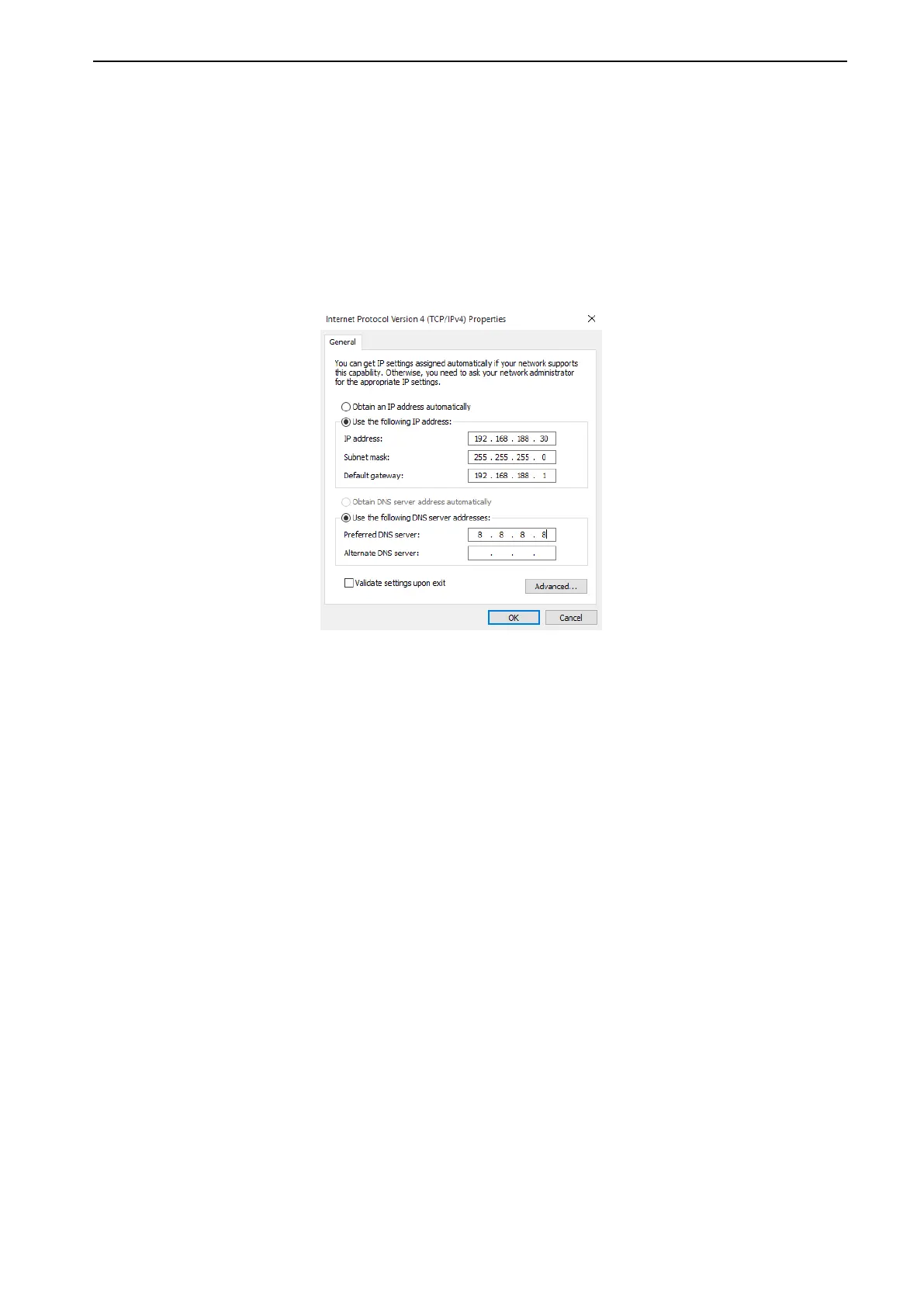
B. Set an IP address for your PC: configure local IP address as 192.168.188.X(X can be selected from
2-254), the same network segment as this access point, subnet mask is 255.255.255.0
P6 IP Address configure
C. Connect in wall AP with PC by LAN Cable or Wireless
Pls note, if connect in wall with PC by wireless, then the default SSID is Levelone 2.4G, default
passwords are 66666666.
D. Log in: type 192.168.188.253 in your IE, will pop up following picture, pls input admin/admin in User
name/Password to Log into this in wall AP















 To Next Page