12
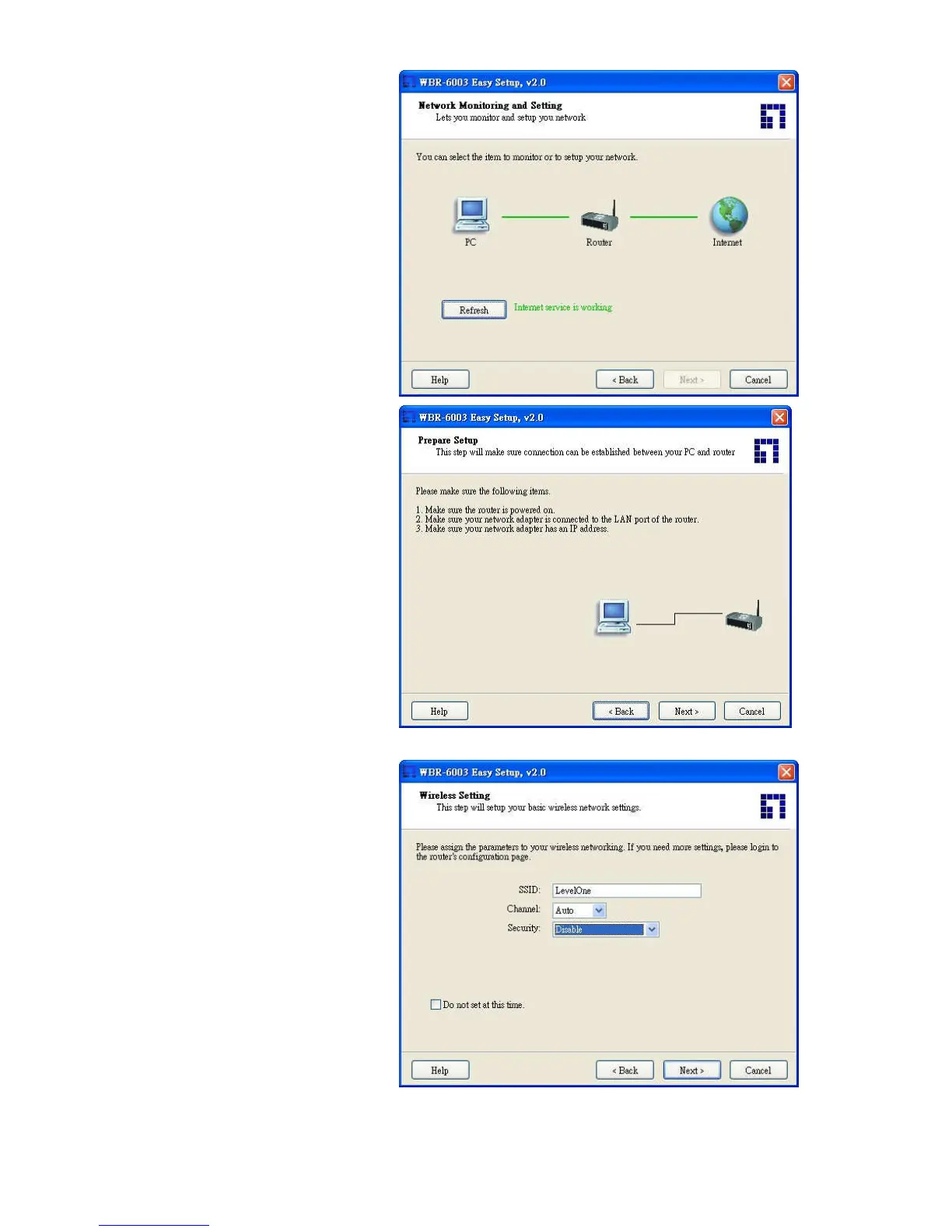
3. Advanced mode Setup
Check the PC, Router or Internet
icons for the Status of PC, Router or
Internet.
4.
Quick Wizard Install mode Setup
Make sure the router is powered on.
Make sure your network adapter is
connected to the LAN port of the
router
Make sure your network adapter has
an IP address.
Click “Next” for continues
5. Wireless Setting
Key in the SSID, Channel and
Security options, and then click
“Next” for continues.















 To Next Page