47
Packet Filter
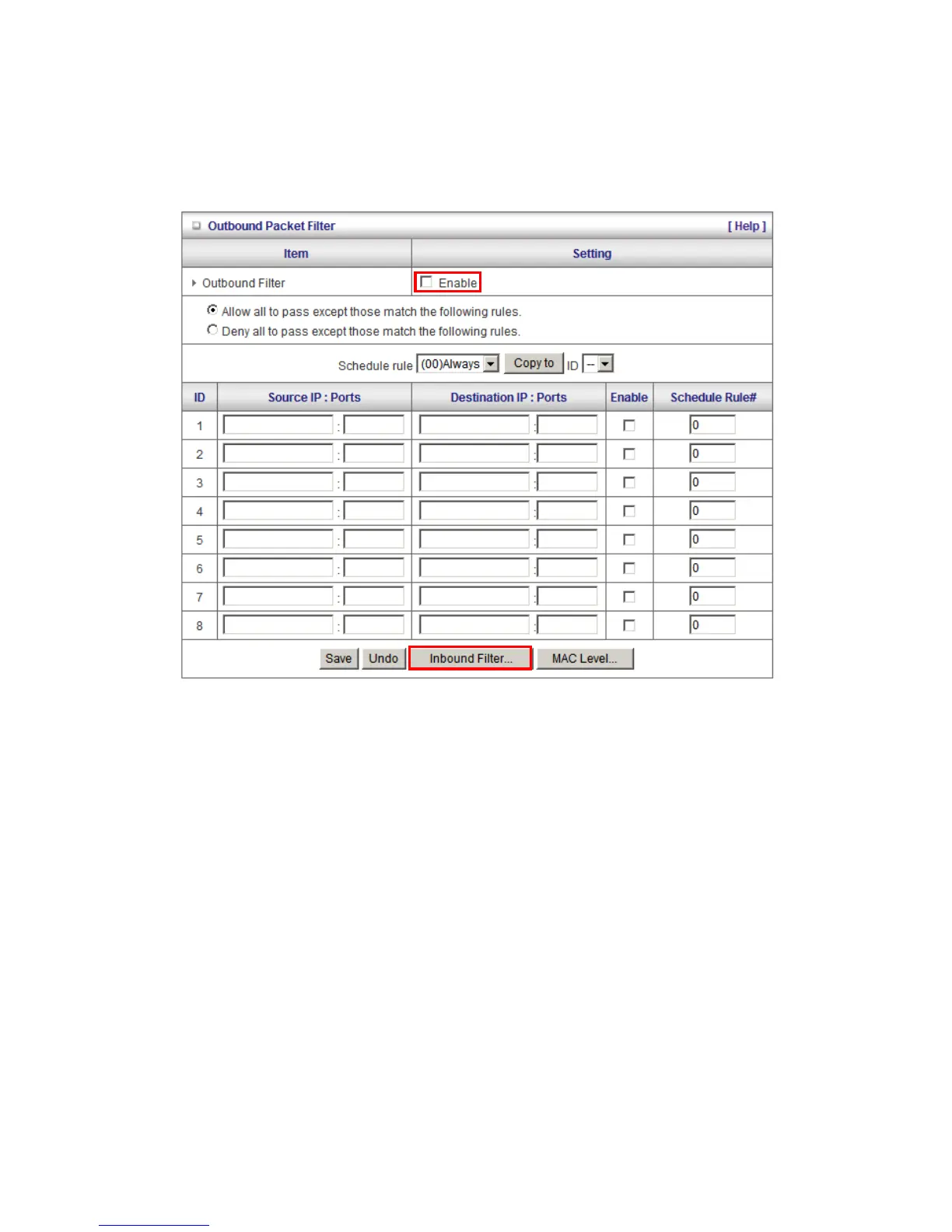
Packet Filters allows you to control what packets are allowed to pass through the WBR-6003. The
Outbound Filter applies to all outbound packets and the Inbound Filter only applies to packets that
are destined to Virtual Servers or the DMZ Host only.
To enable the Outbound Filter, tick the Enable tick box.
There are two types of filtering policies:
1. Allow all to pass except those match the specified rules
2. Deny all to pass except those match the specified rules
You can specify 8 rules for each direction: inbound or outbound.
For each rule, you can define the following:
• Source IP address
• Source port address
• Destination IP address
• Destination port address
• Protocol: TCP or UDP or both.
• Use Schedule Rule#















 To Next Page