9
Hardware installation steps
Decide where to place your Wireless Router
You can place your Wireless Router on a desk or other flat surface. For optimal performance, place
your Wireless Router in the center of your office (or your home) in a location that is away from any
potential source of interference, such as a metal wall or microwave oven. This location must be close
to power and network connection.
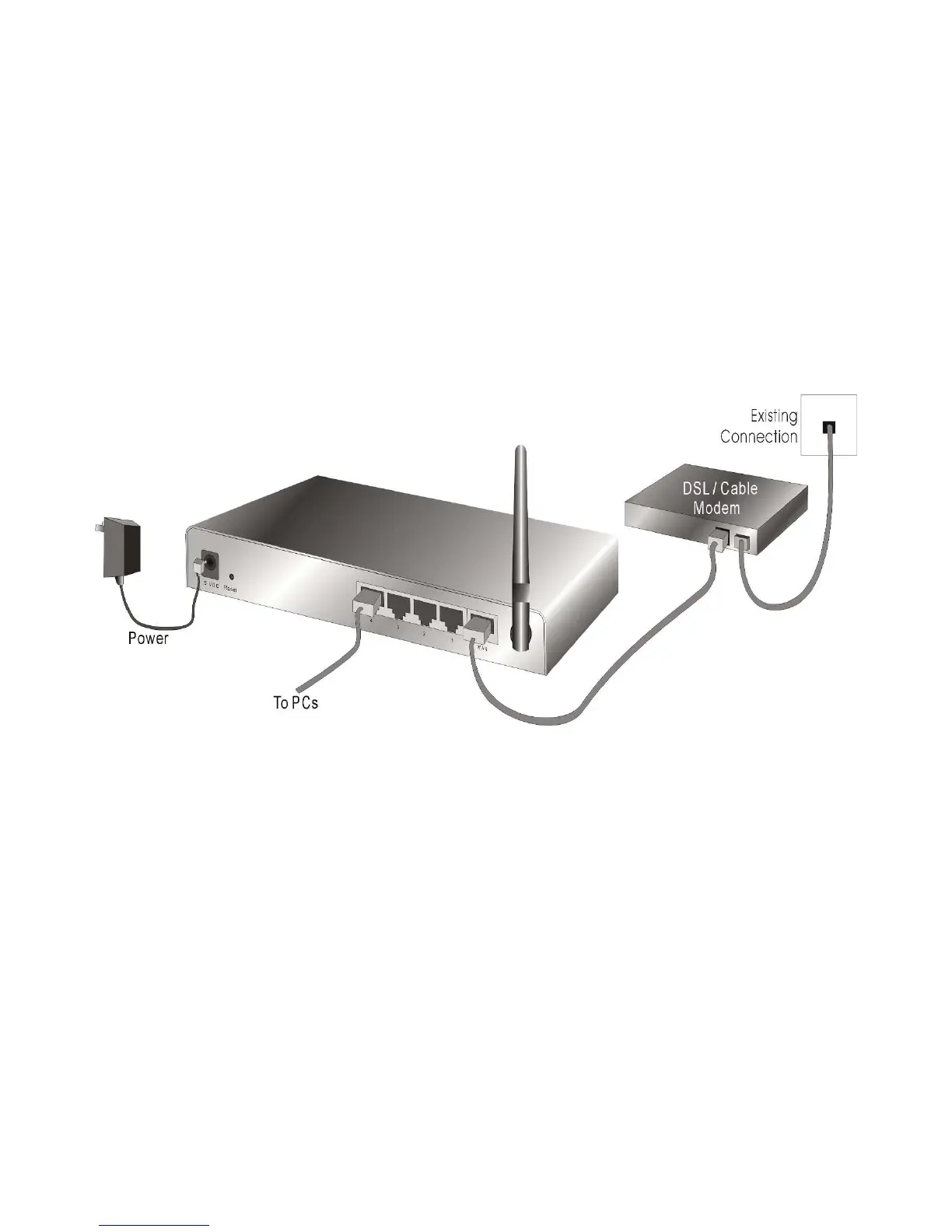
Setup LAN connection
Wired LAN connection: Connect an Ethernet cable from your computer’s Ethernet port to one of
the LAN ports of the Wireless Router.
Wireless LAN connection: Locate the WBR-6003 at a proper position to gain the best transmit
performance.
3. Setup WAN connection
Prepare an Ethernet cable for connecting this product to your cable/xDSL modem or Ethernet
backbone.
4. Power on
Connecting the power cord to power inlet and turning the power switch on, this product will
automatically enter the self-test phase. When it is in the self-test phase, the Status indicator will
be lighted ON, and the Status indicator will be continuously flashing once per second to indicate
that this product is in normal operation.















 To Next Page