15
Configuration Wizard
Once properly configured, the WBR-6003 150Mbps N Wireless Router will obtain and assign IP
address information automatically. Configuration settings can be established through the Web-Based
Configuration Menu.
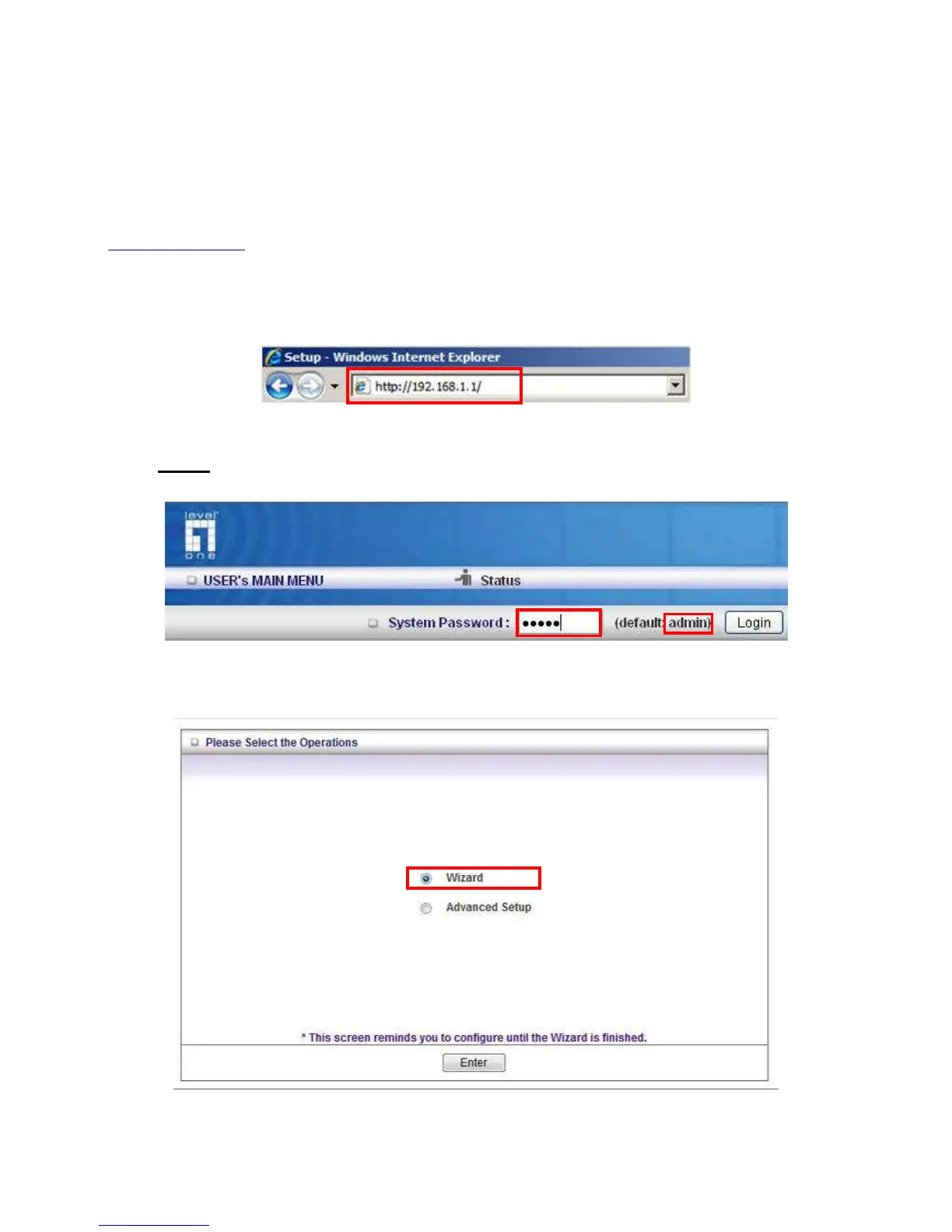
Open a web browser (Internet Explorer/Firefox/Safari) and type in the IP Address
http://192.168.1.1
Note:
If you have changed the default IP Address assigned to the WBR-6003, ensure you enter the
correct IP Address.
Type in “admin” (without quotes) in the Password box, Then click Login
Note: admin is the default login password for the unit.
The user can setup step by step to finish the connection with Wizard.
If you are an advanced user, you can access the configurations directly in the Advanced Setup















 To Next Page